
Smartlogic

אוטומציה ובקרה

מהי אוטומציה ובקרה?

מאמר זה מספק הגדרה מקצועית למונח אוטומציה ובקרה, מונה רכיבים הנכללים במערכות בקרה ואוטומציה ומציג אספקטים רלוונטיים נוספים לנושא הנידון.

הגדרת המונח פיתוח אוטומציה ובקרה

המונח אוטומציה – Automation מתאר שימוש במכונות, מערכות בקרה וטכנולוגית מידע (Information Technology – IT) כדי להפיק את המרב בתהליכי יצור ואספקת שירותים.

יתרונות וחסרונות

היתרונות העיקריים של אוטומציה הם:

  • הגברת התפוקה או פרודוקטיביות.
  • שיפור האיכות והגדלת יכולת חיזוי האיכות.
  • שיפור אחידות התהליכים והמוצרים.

בד"כ מתקינים ומשתמשים באוטומציה במקרים הבאים:

  • בתהליכי יצור לקיצור זמן המחזור, ושיפור התפוקה, האיכות והאחידות.
  • בתהליכים שמצריכים דרגת דיוק גבוהה.
  • מילוי מקום של עובדים בפעילויות שמצריכות כוח פיזי או פעילות מונוטונית.
  • מילוי מקום של עובדים בתנאי סיכון (כגון סכנת בערה, עבודה בחלל, עבודה תת-מימית וכו').
  • בביצוע פעילויות מעבר ליכולת האנושית מבחינת גודל, משקל, מהירות, כוח סבל וכו'.
  • יתרון כלכלי – אוטומציה יכולה לשפר את כלכלת מיזמים וחברות.
  • שחרור עובדים למילוי תפקידים אחרים.
  • אספקת עבודות ברמה גבוהה יותר בתכנון, פריסה, התקנה, הפעלה ותחזוקה של ציוד אוטומטי.

החסרונות העיקריים של אוטומציה הם:

  • סיכון ו/או פגיעות בבטיחות התהליכים – למערכת אוטומטית רמה מוגבלת של אינטליגנציה, ולכן היא יותר רגישה לביצוע שגיאות.
  • הוצאות פיתוח בלתי צפויות – הוצאות המחקר ופיתוח של אוטומציית תהליך יכולות להיות גדולות יותר מהחסכונות המופקים מהמערכת האוטומטית המושגת.
  • הוצאות התחלתיות גבוהות – אוטומציה של תהליך יצור או מתקן מצריך השקעה התחלתית עצומה בהשוואה למחיר היחידתי של המוצר, למרות שמחיר האוטומציה מתחלק בין מספר רב של מוצרים.

 מגבלות

  • הטכנולוגיה במצבה הנוכחי לא מאפשרת אוטומציה ובקרה של כל הפעילויות הרצויות.
  • כאשר רמת האוטומציה של תהליך הולך גדל, כמות העבודה שנחסכת והשיפור ברמת האיכות פוחתים, ואיתם הכדאיות הכלכלית.


הגדרת המונח בקרה אוטומטית

מתייחסת לשימוש בתיאורית הבקרה לוויסות תהליכים או תנאים ללא התערבות ישירה של בן אדם. בצורה הפשוטה ביותר של מעגל בקרה אוטומטי, בקר משווה ערך נמדד בתוך תהליך עם ערך מתוך סדרת ערכים שנקבעה מראש, ומעבד את אות הסטייה שנוצרה כך שהתהליך נשאר במסגרת הערך שנקבע למרות ההפרעות.

רכיבים של מערכת בקרה אוטומטית

מושג עיקרי בבקרה אוטומטית הוא מערכת בקרה אוטומטית, שמספקת בקרה וניטור של סוגים שונים של מערכות רלוונטיות, כגון ייצור, ניהול, וכו'. לדוגמה, אפשר לתכנן מערכת בקרה לשימור גבולות מוגדרים של ערכי טמפרטורה, לחץ ולחות בתוך מתקן ייצור.

מערכת בקרה מורכבת ממגוון רכיבים מבוקרים, ומשוב (feedback) של נתוני בקרה ממכשירי מדידה במעגל סגור (closed loop), שמאפשרים פעולה נכונה של רכיבי המערכת (כגון אלו הרשומים בהמשך) בהתאם לערכים שנקבעו מראש:

  • רגשים (sensors), שמודדים תנאים פיסיקליים, כגון טמפרטורה, לחץ, גובה נוזל, וכו'.
  • בקרים (controllers), שיכולים להיות החל מרכיבים פיסיקליים פשוטים ועד בקרים דיגיטליים מורכבים או מחשבים משובצים (embedded).
  • מפעילים (actuators), שמגיבים למדידות הרגשים ופועלים בהתאם להוראות הבקרים; לדוגמה, בבקרת כניסת אנרגיה, כגון, זרימת גז למבער במערכת חימום, או חשמל למנוע במקרר, או משאבה.
  • תחנת/ות מחשב, שמקושרות לבקרים. המחשבים משמשים להצגת ערכים נמדדים שהתקבלו מהבקרים במסכים של ממשק אדם/מכונה (HMI – Human/Machine Interface), ולשנות ערכים נקבעים (settings), כדי לאפשר ניטור ובקרה עכשוויים (online) של המערכת ע"י המשתמשים.

 רגשים (Sensors)

רגשים, שמודדים תנאים פיסיקליים, כוללים בד"כ אמצעים לשדר את הערכים שהם מודדים ל בקרים המתאימים; במקרה זה הם גם נקראים משדרים (transmitters). הם יכולים לכלול בנוסף מצגות ערכים (indicators) לפיקוח ויזואלי קל ע"י המשתמש.

בקרים (Controllers)

הבקרים הם הרכיבים החשובים ביותר במערכת בקרה אוטומטית. הם יכולים להיות החל מרכיבים פיסיקליים פשוטים ועד בקרים דיגיטליים מורכבים או מחשבים משובצים. הבקרים מנתחים ומעבדים את הערכים הנמדדים ע"י הרגשים ושולטים על המערכת בהתאם, בצירוף עם מחשבים מחוברים לבקרים; המחשבים כוללים תוכנות HMI לניטור ובקרה של המערכת.

דוגמאות של בקרים:

  •  בקרים לוגיים שניתנים לתכנות (PLCs – Programmable Logic Controllers)*
  • בקרים דיגיטליים ישירים (DDCs – Direct Digital Controllers)
  • יחידות קצה רחוקות (RTUs – Remote Terminal Units)

מפעילים (Actuators)

המפעילים מגיבים למדידות הרגשים ופועלים בהתאם להוראות הבקרים. דוגמאות של המפעילים הם: מתגים המגיבים להפרשי לחץ (DPSs – Differential Pressure Switches), מרסני נפח ממונעים (MVDs – Motorized Volume Dampers), מקררים ותנורים חשמליים, וכן משאבות ומפוחים, שמאפשרים כיוונוני טמפרטורה, לחץ, לחות, ותנאים פיסיקליים אחרים, כדי לתחום אותם בהתאם לערכים שנקבעו מראש.

תחנת/ות מחשב

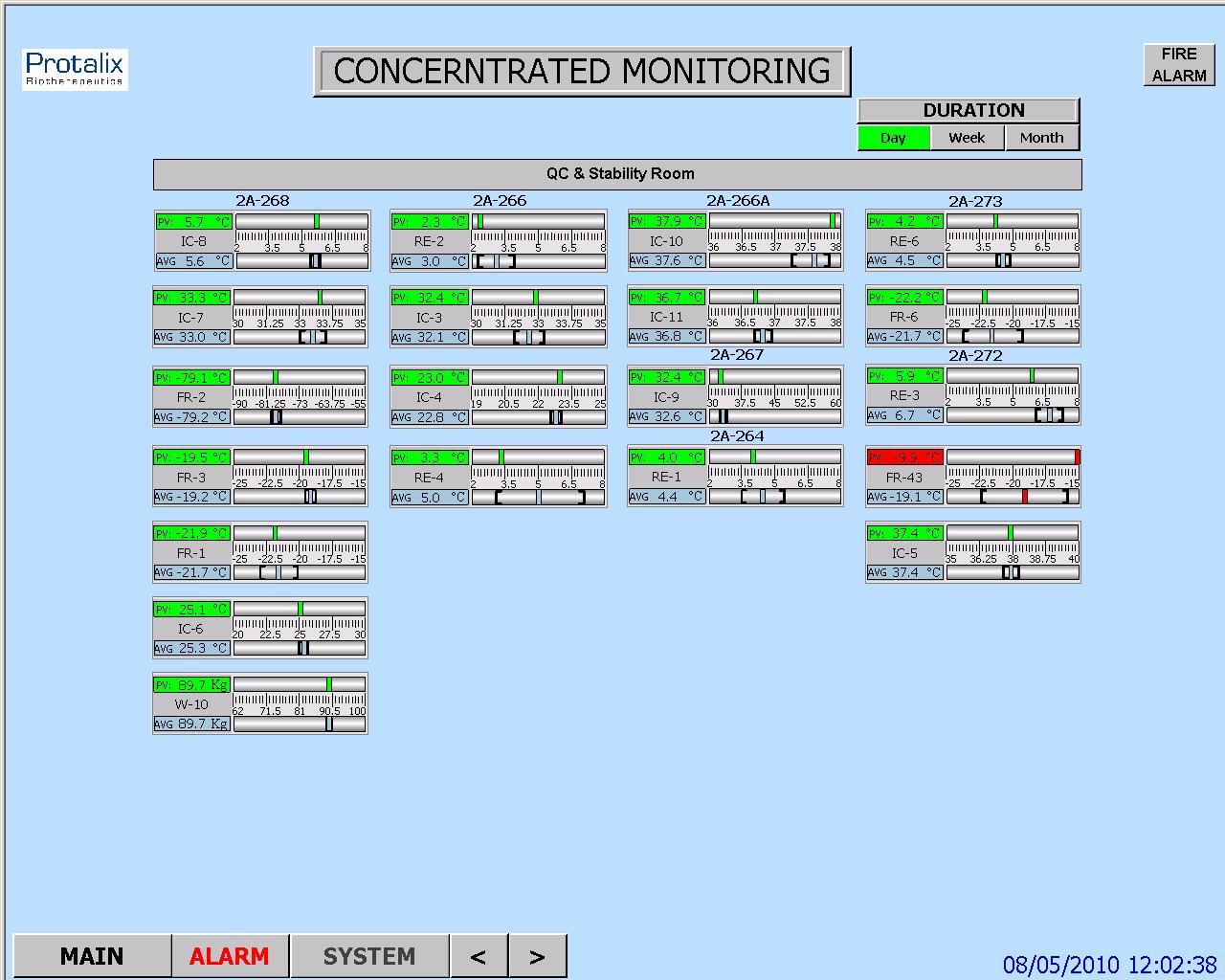
תחנה מחשב אחת או יותר שמקושרות לבקרים מקבלות ערכים נמדדים מהבקרים ומציגים ערכים אלו, וכמו כן מצב פעולת רכיבי המערכת במסכים של ממשק  HMI לניטור עכשווי של המערכת. הערכים הנמדדים ניתנים להשוואה עם ערכים מותרים שנקבעו מראש, ואם הערכים הנמדדים חורגים מהגבולות המותרים, אפשר להציג הודעת אזהרה. ניתן להשתמש בממשק  HMI גם כדי לשנות את הערכים המותרים ולנטר את מצב פעולת רכיבי המערכת כתגובה לשינויים.

* סמארט לוג'יק משתמשת בבניית מערכות אוטומציה ובקרה בבקרים של חברת Siemens  וחברת אלן ברדלי – Allen-Bradley.

סמארטלוג'יק משווקת בין היתר את המוצרים הנ"ל:

6XV1830-0EH10, 6ES7131-4BF00-0AA0, 6ES7193-4CA40-0AA0, 6ES7134-4GD00-0AB0, 6ES7193-4CA40-0AA0, 6ES7138-4CA01-0AA0, 6ES7193-4CC20-0AA0, 6ES7590-1AB60-0AA0, 6ES7511-1AK00-0AB0, 6ES7954-8LP01-0AA0, 6ES7155-6AU00-0BN0, 1746-NO4V, 1769-L16ER-BB1B.
 

ממשק אדם-מכונה HMI – אוטומציה ובקרה

מה זה HMI?

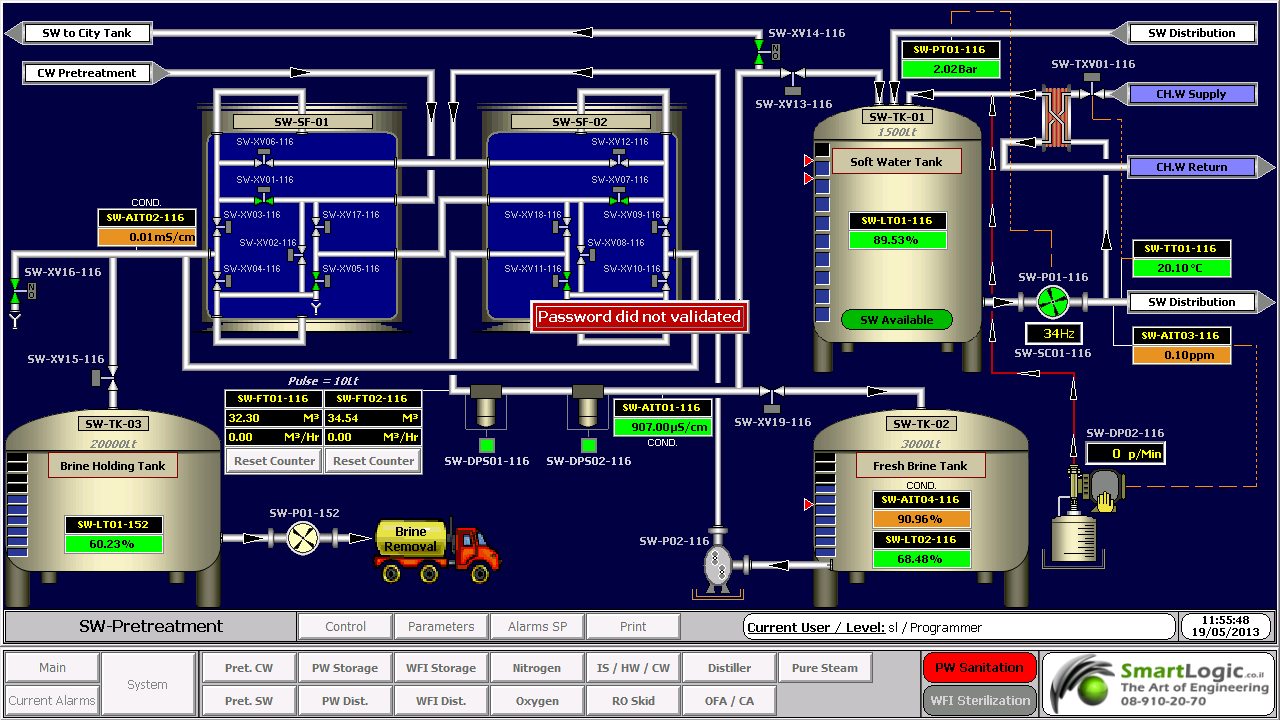
ממשק אדם-מכונה Human-Machine Interface – HMI מתרחש בתחום בו חלה אינטראקציה בן בני אדם ומכונות. מטרת האינטראקציה היא אפשרות  לניטור ובקרה יעילים של  אותן מכונות ע"י מפעיליהן, כאשר המכונות מספקות מידע בהיזון חוזר שמאפשר למפעילים לקחת החלטות נכונות בזמן התהליך. לממשק זה יש שימוש נרחב בעיצוב, יצור ובקרה על ציוד תעשייתי, ועל ניטור ובקרה על תהליכים תעשייתיים.

עם השימוש הגדל במחשבים אישיים ובקרים ממוחשביםProgrammable Logic Controller – PLC, הפך HMI למונח  המתייחס לרוב לייצוג הגרפי של הציוד והתהליכים התעשייתיים על פני מסכי המחשבים.

סמארטלוג'יק משתמשת ב -PLCs מתוצרת סימנס (Siemens) ואלן ברדלי (Allen Bradley)  לדוגמא :

6XV1830-0EH10, 6ES7131-4BF00-0AA0,6ES7193-4CA40-0AA0,6ES7134-4GD00-0AB0,6ES7193-4CA40-0AA0, 6ES7138-4CA01-0AA0,6ES7193-4CC20-0AA0, 6ES7590-1AB60-0AA0, 6ES7511-1AK00-0AB0, 6ES7954-8LP01-0AA0,6ES7155-6AU00-0BN0

מונח אחר, פחות שימושי הוא ממשק איש-מכונה הוא  Man-Machine Interface – HMI. מונח זה היה נפוץ אך זכה להתרעמות מצד ארגוני הנשים שדיברו על כך שגם נשים הם משתמשות בממשקים אלו ומהוות חלק מהם כך שונה השם למונח הכללי אדם או באנגלית Human.

HMI מערב ציוד (חומרה) היקפי, ורכיבי תוכנה, כגון ממשקים גרפיים.

בתחום המקושר ל- HMI, שנקרא Human-Computer Interaction – HCI, חוקרים את הייצוב והשימוש בטכנולוגיית המחשב, תוך מיקוד מיוחד בממשקים בין אנשים ומחשבים. החוקרים בתחום זה מתבוננים בצורות שבהם אנשים פועלים מול מחשבים, ומעצבים טכנולוגיות  שמאפשרות אינטראקציה  בין אנשים ומחשבים באופנים חדשים.

אנשים  פועלים מול מחשבים בצורות שונות, והממשק בו משתמשים משחק תפקיד מכריע בהקלה באינטראקציה. אפליקציות במחשב שולחני, דפדפן (browser) אינטרנטי,  מחשבים נישאים, וכו', משתמשות בממשק לשימוש גרפי Graphical User Interface – GUI באופן הנפוץ ביותר; ממשק לשימוש קולי Voice User Interface – VUI, פחות נפוץ, משמש לזיהוי דיבור ומערכות סינתוז synthesizing. השימוש ב- multi-modal GUI מאפשר להשתלב עם גורמים מסוימים שלא ניתנים  לתקשורת עם כלי ממשק אחרים.

שימוש ב-HMI לצורכי בקרה ואוטומציה

בתחום הבקרה והאוטומציה אנו עוסקים רבות בממשק Human-Machine Interface – HMI בעת תכנון ותפעול מערכות בקרה תעשייתיות.

תכנון וביצוע פרויקטים הנדסיים בתחום הבקרה האוטומציה היא המומחיות של סמארטלוג'יק, בקרה מפעלית ובקרות תהליך, בקרות מבנה BMS.  שיטות עבודה שלנו מאפשרות ביצוע אינטגרציה במהירות שיא, בין פרויקט חדש ומערכות המפעל הקיימות. סמארטלוג'יק מבצעת פרויקטי אוטומציה ובקרה מודולארית למתקני יצור תוך שימוש בתקן S-88.  סמארטלוג'יק היא גם  נציגה בלעדית של Siemens בארץ לתמיכה במערכת PCS7 ועובדת על בסיס קבוע, עם מרכז התמיכה העולמי בגרמניה באמצעות מערכת בקרת איכות מחמירה העומדת בתקן ISO9000.

להדרכה איך גורמים ל HMI לעבוד עם הרשאות ווינדוס לחצו כאן.

ולידציה – FRS – Regulatory & HMI Requirements

ולידציה – FRS – Regulatory & HMI Requirements

 This article was written by Iian Shaya, validation,automation and control expert

Regulatory Requirements

These requirements cover all the FDA specifications regarding the system compliance with the 21 CFR Part 11 definitions, and also with usual validation documentation demands

Method to provide a computerized system that complies with 21 CFR Part 11 definitions, such as the system access control by the user's managing personnel, who shall be responsible for the content of the electronic records (ERs) contained in the system

Method to restrict logical access to the system according to specified authorization levels

Method to restrict logical access to the system only to specific user ID and password

Method to provide system capability to record the values, alarms, user changes and any other events, and provide readable forms and reports of ER data

Method to allow storage of historical events, current alarms and historical alarms data records on the computerized system database

Capability of data display to the user in "view only" mode, so the user cannot alter or delete data/records

Provision of user's capability to backup data daily, weekly and monthly, according to his procedures, to ensure protection of the records and to enable their accurate and ready retrieval throughout the records retention period

Provision by the supplier of a project plan and quality assurance (QA) processes during development and the testing stages as part of his QA systems

Provision by the supplier of the following documents

Functional Requirements Specification – FRS

Functional Design Specification- FDS

IO List

Schedule of System Operation – SSO

Installation Qualification (IQ) protocol

Operation Qualification (OQ) protocol

Performance Qualification (PQ) protocol

HMI Requirements

These requirements are intended to provide the URS demands from the HMI screens, regarding proper graphic design and functionality for controlling and monitoring the system, as specified in customer's contract with the supplier. The HMI screens provided usually are of the following types

Main Screen

Synoptic screens for displaying online values and status

Parameters screens for displaying temperature, humidity and pressure parameters values

Data logging and storage of historical trends, alarms and events

Tabular screens for displaying alarms

Graphical screens for displaying trends

 This article was written by Iian Shaya, validation,automation and control expert

ולידציה – URS – Regulatory & HMI Requirements

ולידציה – URS – Regulatory & HMI Requirements

 This article was written by Iian Shaya, validation,automation and control expert

Regulatory Requirements

These requirements cover all the FDA specifications regarding the system compliance with the 21 CFR Part 11 definitions, and also with usual validation documentation demands

Computerized system compliance with 21 CFR Part 11 definitions, such as the system access control by the user's managing personnel, who shall be responsible for the content of the electronic records (ERs) contained in the system

System capability of restricting logical access to the system according to specified authorization levels.

Access to the system allowed only by user ID and a specific password

System capability to record the values, alarms, user changes and any other events, and provide readable forms and reports of ER data

Storage of historical events, current alarms and historical alarms data records on the computerized system database

Data display to the user in "view only" mode, so the user cannot alter or delete data/records

Provision of user's capability to backup data daily, weekly and monthly, according to his procedures, to ensure protection of the records and to enable their accurate and ready retrieval throughout the records retention period.

Provision by the supplier of a project plan and quality assurance (QA) processes during development and the testing stages as part of his QA systems

Provision by the supplier of the following documents

Functional Requirements Specification –FRS.

Functional Design Specification – FDS

IO List

Schedule of System Operation – SSO

Installation Qualification (IQ) protocol.

Operation Qualification (OQ) protocol

Performance Qualification (PQ) protoco

HMI Requirements

These requirements cover the provisions demanded from the HMI screens, regarding proper graphic design and functionality for controlling and monitoring the system, as specified in customer's contract with the supplier

:Note

The final contents of the URS and FRS are tailored according to the type and size of the system under validation. Since the URS and FRS regarded herein are generic, they include requirements that may not be necessary in small or simple systems

 This article was written by Iian Shaya, validation,automation and control expert

אוטומציה ובקרה – PID Control

אוטומציה ובקרה – PID Control

Between the measuring device and the final control element comes the controller. Its function is to receive themeasured output signal Ym (t) and after comparing it with the set point YSP to produce the actuating signal c (t) in such a way as to return the out put to the desired value YSP. Therefore the input to the controller is the error ε(t) = YSP –Ym (t), while its out put is c (t). The various types of continous feedback controllers differ in the way they relate ε (t) and c (t).

 The best feed back controller is the proportional – integral- derivative controller.

In the industrial practice it is commonly known as the proportional-plus-reset-plus-rate controller.

The actuating signal of this controller is given by the following mathematical equation.

c (t) = Kc ε (t) + Kc/Ʈ10 t ε (t) dt + Kc ƮD dε/dt + Cs

Kc = proportional gain of the controller

Cs = controllers bias signal (i.e. its actuating signal when ε =0)

Ʈ1 = integral time constant OR reset time in minutes

TD = derivative time constant in minutes

Proportional = Kc ε (t)

Here the actuating out put c (t) is proportional to the error ε (t) = YSP –Ym (t),

It is clear that larger the gain Kc, the higher the sensitivity of controllers actuating signal to deviations (ε).

ie: Y SP =100, Ym(t) =96, hence error ε = 4.

If Kc=1, then controllers actuating signal, c = 4% to close/open, for TCV.

If Kc=3, then controllers actuating signal, c= 12% to close/open, for TCV

Integral = Kc/Ʈ10 t ε (t) dt

The reset time, Ʈ1 is the time needed by the controller to repeat the initial proportional action change in its out put. Reset time, Ʈ1 is an adjustable parameter and some manufacturers do not calibrate their controllers in terms of Ʈ1, but in terms of its reciprocals, 1/ Ʈ1 (repeats per minute), which is known as the reset rate.

ie:

Reset rate=0.1, it means the reset time is = 1/0.1= 10 scans, Hence every 10 scans the controller will add the proportional action change (Kc ε (t)).

In most of the PID's time scans is configurable and called "update loop time" if it equals to 1 then every 10 seconds the controller will add the proportional action

Remark:

The integral term of a controller causes its output to continue changing as long as there is a non-zero error. Often the errors cannot be eliminated quickly, and given enough time they produce larger and larger values for the integral term, which in turn keeps increasing the control action until it is saturated ( ie: the valve is completely open or closed) &  called as integral wind up.

Derivative = Kc ƮD dε/dt

ƮD is the derivative time constant in minutes, with the presence of the derivative term, (dε/dt), the PID controller anticipates what error will be in the immediate future and applies a control action which is proportional to the current rate of change in the error. Due to this property, the derivative control action is referred to as anticipatory control.

Because of the forecasting action of the derivative parameter, the control valve will never "rest" it will always open and close to maintain the Setpoint therefore – this parameter must be used only for fast PID's such as compressed air control, Steam control, ETC

אילן שעיה Ilan Shaya 

,This guide was written by llan shaya, control and automation specialist

סמארט לוג’יק  מתכננת ומבצעת ביצוע פרויקטים הנדסיים בתחום הבקרה האוטומציה, בקרה מפעלית ובקרות תהליך, בקרות מבנה

ולידציה – Operation Qualification – OQ- part 2

ולידציה – Operation Qualification – OQ- part 2

Protocol Preparation Overview

This article provide overviews of the main test procedures and verification, and their purposes. This OQ procedure is generic, and relevance of the test procedures and verifications provided below depends on the composition of the system under validation

:Note

As mentioned in the previous artcle on OQ Protocol Contents, the final contents of the OQ protocol are tailored according to the type and size of the system under validation. Since this document is generic, it covers test procedures that may not be necessary in small or simple systems

:Where relevant, the OQ procedure may consists of five main test procedures

HMI Screen Test Procedure – intended to verify that the HMI screens provide the graphic design and functionality required for properly monitoring and controlling the environmental conditions in the user's

Parameters Lists Verification – intended to verify that the system parameters lists comply with the values specified in the SSO

Two types of parameters are checked

Process parameters

Alarm parameters

System Operation Test Procedure – intended to verify that system monitoring and control components are capable of maintaining the user's facility within specified temperature, humidity and pressure levels

System Alarms Test Procedure – intended to verify that when the specified temperature, humidity and pressure levels exceed its specified limits, an alarm message is displayed, and an SMS or e-mail notification is sent to relevant personnel

Test of HMI Compliance with 21 CFR Part 11 – This test is intended to verify that the HMI meets Valtech Cardio's URS regarding 21 CFR Part 11. These : requirements are divided into 5 categories for the sake of clarity

Security

Electronic Records

Audit Trail

Archive

Backup

 HMI Screen Test Procedure

This section includes specific test procedures for all the relevant HMI screens, where each test procedure serves to verify that the specific HMI screen provides the graphic design and functionality required for its intended purpose within the monitoring and controlling functions

Parameters Lists Verification

:This procedure covers the verifications of two types of parameters

Process parameters

Alarm parameters

Process Parameters List Verification

This procedure is intended to verify that:

The system enables to set the default values of the process set-points of each monitored environmental parameter.

The system provides automatically the corresponding low and high limits of these default values. These limit values are listed in  below

The system rejects all the SP values that exceed their allowed ranges, as specified in the SSO

Alarm Parameters List Verification

:This procedure is intended to verify that

The system enables to set the default values of the alarm set-points of each monitored environmental parameter

The system provides automatically the corresponding low and high limits of these default values

The system rejects all the SP values that exceed their allowed ranges, as specified in the SSO

 System Operation Test Procedure

This procedure is intended to verify that system monitoring and control components are capable of maintaining the user's facility within specified temperature, humidity and pressure levels. For this purpose, it is necessary to temporarily change set-points, in order to activate the control devices

System Alarms Test Procedures

This procedure is intended to verify that, when an environmental parameter value exceeds the specified normal range, the system reacts as specified in the SSO, by providing a specified alarm indication, a relevant e-mail alarm message, and relevant records in the Current Alarms and Historical Alarms screens

Test of HMI Compliance with 21 CFR Part 11

This test is intended to verify that the HMI meets the user's URS regarding 21 CFR Part 11. These requirements are divided into 5 categories for the sake of :clarity

Security

Electronic Records

Audit Trail

Archive

Backup


ולידציה – GAMP – Test Example – part 3

Good Automated Manufacturing Practice (GAMP) – Test Example

Testing Process Automation Systems

This article cover  the third part of  our  Good Automated Manufacturing Practice (GAMP) test example. This part will cover  the typical test phases for Factory Acceptance Test – FAT, Site Acceptance Test – SAT / Installation Qualification – IQ, Operation Qualification – OQ and Performance Qualification – PQ

Typical Test Phases – GAMP – Test Example

 Typical test phases for a complex process automation system. This example assumes that the system is configured by a Supplier and delivered to site after a FAT. Test system can also be configured by the system integrator or by the User. In this case, the same coverage is required, but the test phasing and location may be different.

The User and Supplier should work together to develop an overall approach to testing that reflects the risk assessment output and ensures adequate test coverage of the functionality, whilst avoiding unnecessary repeated tests.

Factory Acceptance Test – FAT

Done at the Supplier's premises after Supplier's integration testing, and before the system is released for delivery to the User's site

The required coverage should reflect the relative risk priority associated with the system element under test. This coverage can increase if problem are found within the initial sample.

In determining the required coverage, the User needs to base decisions on the risk assessment output taking into account both the potential effect on product quality and safety resulting from the process, and the intrinsic risk likelihood associated with the method of implementation.

Before performing risk assessment to decide on the required coverage, the User should review the supplier's internal tests to confirm that they are adequately documented.

Site Acceptance Test – SAT / Installation Qualification – IQ

Done at the User's premises after installation of the system on site

:The required coverage should include

Checking that the full system, including HW, SW backups, and documentation has been delivered to site in a condition suitable to its intended purpose

Checking that the site environment suits the specification of the installed equipment: temperature, humidity, pressure, dust, vibration, interference, etc

Checking that the system has been correctly installed.

Demonstration the system still operates as it was when accepted during the FAT, typically by re-recording system components and versions, and by re-repeating a small sample of FATs on site

Testing any elements which could be adequately tested in the FAT environment, typically interfaces to other equipment, networks, etc

Re-testing, following remedial action on any element subject to conditional release at the end of the FAT

Operation Qualification – OQ and Performance Qualification – PQ

Done at the User's premises after SAT/IQ

If a system has been fully tested in the FAT, after successful completion of the IQ (along with any additional field functional tests and calibrations), the system is treated as an integrated part of the process equipment qualification. This should ensure that the full system, procedures and trained personnel are ready for production.

End of GAMP – Test Example – part 3.


ולידציה – GAMP – Test Example – part 1

Good Automated Manufacturing Practice (GAMP) – Test Example

Testing Process Automation Systems

This article cover  the first part of  our  Good Automated Manufacturing Practice (GAMP) test example.

                                     Definitions

This section provides brief descriptions of three different types of process control systems.

                  Configurable Equipment

Configurable Equipment is the collective name given to simple configurable instruments/ devices, such as 3-term controllers, check scales, bar code readers, etc. Their functionality depends on that their configuration setup meets the process requirements. The software (SW) components of these systems are typically defined as GAMP SW Category 2.

                    Embedded Systems

Embedded Systems is the collective name for systems with a greater degree of configuration and programmability. Devices such as Integrated Circuits (ICs) with configuration setups and Programmable Logic Controllers (PLCs), which are supplied as an integral part to an item of process equipment, e.g., PLCs controlling a centrifuge or packaging machine, or IC embedded in High Performance Liquid Chromatography (HPLC) systems. Embedded Systems typically contain SW components belonging to multiple GAMP categories.

                 Stand-Alone Systems

Stand-Alone Systems is the collective name for large programmable control systems having distributed functionality across a network, e.g., Distributed Control Systems (DCSs), and Supervisory Control and Data Acquisition (SCADA). They are engineered as an entity to control a complete plant. Stand-Alone Systems typically contain SW components belonging to multiple GAMP categories.

                      Testing and the GAMP Life Cycle 

     Stand-Alone Systems

A process automation system developed for a new application typically requires some or all of the following test phases:

Suppliers Module Testing

Suppliers Module Integration Testing

Suppliers Integration Testing

Factory Acceptance Test (FAT)

Site Acceptance Test (SAT)

Installation Qualification (IQ)

Operation Qualification (OQ)

Performance Qualification (PQ)

The exact combination of testing required for a particular system should reflect its complexity, the maturity of its underlying SW and hardware (HW) elements, and the risk impact on product quality, patient safety and data integrity. Collectively these will determine the risk priority. The phrase 'low risk' should be understood as 'having a low risk priority, as determined by a formal risk assessment'.

Testing of modifications, patches or upgrades should be related to the risk priority of the change. For example, it may be appropriate for parameter changes to be applied directly to the production environment, assuming that the system have been range checked for such parameter.

End of ולידציה – GAMP – Test Example – part 1

אוטומציה ובקרה – איך מכינים HMI לבדיקת לוח בקרה

אוטומציה ובקרה – איך מכינים HMI  לבדיקת לוח בקרה בצורה הטובה ביותר

מהנדסי סמארט לוג'יק מסבירים איך להכין ממשק משתמש קל ונח לבדיקת לוחות בקרה וחשמל באמצעות Cimplicity.

Electrical cabinets Testing 1

Electrical cabinets Testing 1

להדרכה בנושא איך גורמים ל HMI לעבוד עם הרשאות ווינדוס לחץ כאן

ולידציה – GAMP – Test Environments – Test Data Sets

ולידציה  Good Automated Manufacturing Practice – GAMP – Test Environments – Test Data Sets

Test data sets are often use where the test environment does no permit the use of real data for reasons of availability or confidentiality, or where the real data are not generic enough to cover certain test types (e.g., challenge testing at boundary conditions or stress testing).

                          Representative Test Environment

Test data should represent as close as possible the actual data to be operated on, in terms of volume and range of possible values (including invalid entries, to check that they can be correctly handled).

Differences between the proposed test data and the expected actual data should be detailed on the Test Specification or Protocol, and subject to impact assessment. If necessary, additional tests should be planned for the production environment in order to cover identified risk scenarios.

                         Control of Test Environment

Test data sets should be placed under configuration management and the version in use recorded.

For automatically generated data it may also be appropriate to control the utility used for generating the data, as well as the test data set

                         Removal from Production Environment

If the test data SW is added in the way that it may appear in the production environment, then, this should be documented a temporary modification to the production system. Removal of the temporary modification should be documented as well.

If the production environment includes automatic audit trailing, then it should be recognized that all audit trail entries from the testing process will remain.

                              Test User Accounts

Test user accounts are often used to permit testers to access the system at different levels, and ensure that activities carried out during testing are easily identified within any resulting audit trail.

                          Representative Test Environment

Where test user accounts are often used, these should be set up to represent each group of users within the system, including the corresponding authorizations. For multi-lingual system, test user accounts using foreign character sets should be included. Similarly, if existing individual accounts are used for testing, representatives from each group should be included.

                         Control of Test Environment

If test user accounts are used, then the setup of the accounts should be retained as part of the test documentation. Where there are issues of data confidentiality, controls should be exercised to ensure that the use of test accounts does not cause breaches of confidentiality.

                        Removal from Production Environment

If the test user accounts are added in the way that it may appear in the production environment, then, this should be documented a temporary modification to the production system. Removal of the temporary modification should be documented as well.

                            Test Documentation

The test environment includes documentation used during testing. This should always include the test documentation (Test Plans and Strategies, Protocols and Test Specifications, Test Cases and Test Scripts) and the controlling Design Specifications. It may also include operating procedures such as SOPs.

The test documentation should be controlled and recorded to a level of detail that would allow it to be retrieved as part of later review of the test results. This control would, at minimum, include the recording of current document version levels.