

Smartlogic

חיסכון באנרגיה למערכות מיזוג אויר וחדרים נקיים

חיסכון באנרגיה במיזוג אויר יכול לחסוך מאות אלפי שקלים בשנה.


כרגע מתבצעת בקרת טמפרטורה ולחות בזבזנית , גם אם יש תנאי טמפטורה ולחות חיצוניים מתאימים, יחידת הטיפול באויר, מקררת קודם כל את האויר ואחר כך מחממת אם צריך , כנ"ל לגבי בקרת הלחות.הלקוח מבקש מערכת אשר תהיה חכמה לזהות מצבים חיצוניים ולנצל זאת לטובתה ולהפעיל כמה שפחות אנרגיה:  הפעלת ברזי קירור, אשר מעמיסים על הצ'ילרים, הפעלת גופי חימום גם ביט"א, הורדת מהירות מנועי המפוחים,  וגם בכניסה לחדרים לקיזוז עדין.

מצב חיסכון תמידי בזמן ייצור:

זמן ייצור הוא זמן בו נמצאים עובדים החברה בחדרים הנקיים

בזמן זה יהיה שימוש באויר החיצוני ככל הניתן , וטיפול מינימלי בטמפרטורה ולחות תוך שמירה על סינון האויר ברמה מתאימה ל GMP.

בחורף : בעת לחות נמוכה, היט"א  

מצב חיסכון לא בזמן ייצור

מצב זה יוגדר לאחר שעות העבודה, בשבתות וחגים

יוצג לוח זמנים להחלטה מתי יעבוד מצב חיסכון.

להלן דוגמא ללוח זמנים

(להגדלה לחץ על התמונה )


הפעולות הנדרשות:

אספקת ציוד: התקנת רגשי טמפרטורה ולחות חיצוניים.

תכנון תהליכי אשר יתחשב בכל המרכיבים ויידע לבצע בקרה עם שימוש זעיר בבקרת לחות וטמפרטורה

שינוי נקודות העבודה של כל יט"א לגבולות המותרים תחת GMP כיום הם: טמפרטורה בין 17-25 מעלות. – יוגדר כ SP

לחות בין 70% ל- 30%   – יוגדר כ SP

הורדת ספיקת אויר לגבולות המתירים על ידי GMP – יוגדר כ SP


אופציה 2 : הוספת לחצן "יציאה ממצב חיסכון לשעה" בחדר הנקי.

ברגע שיש עבודת ייצור מוגברת , והמערכת נכנסת למצב חיסכון , העובד יכול ללחוץ על הלחצן ובכך להחזיר את המערכת למצב רגיל למשך שעה נוספת.

אופציה 3 תוספת להתקנת וסת תדר ביטא 1

ביט"א 1 אין וסת תדר , על מנת להוריד את מהירות המנוע, יש להתקין וסת תדר.

אופציה 4 : שינוי היחס בין אויר צח לאויר חוזר

בהתאם לתנאי הסביבה , על ידי התקנת דמפרים ממונעים בכל יט"א

המערכת תדע להחליט מתי להשתמש יותר באויר צח , ומתי יותר באויר חוזר, כל עוד שומרת על תנאי GMP .
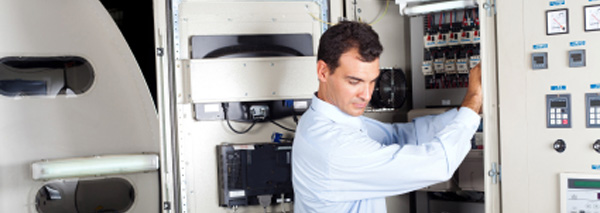
 

בקרה ואוטומציה, כל מה שרצית לדעת מהיסודות

סרטון הסבר- רקע על מערכות בקרה ואוטומציה לתעשייה 

מערכת בקרה הינה מערכת אוטומטית ששולטת על ציוד המתקן.

מערכת בקרה בצורת PLC- בקר מתוכנת – עם כניסות ויציאות אלקטרומכאניות.

הבקר מאפשר שליטה אוטומטית על מערכות שבעבר היו ידניות, כגון: ברזים, מערכות אוורור, וכו.

עוד תוכלו ללמוד בסרטון: 

  • מה זה תפ"מ
  • מה התפקיד של בקר PLC במערכת ואיך הוא עובד 
  • כרטיסי הרחבה לבקר 
  • ממה מורכבת מערכת בקרה ומה הן כוללות (עבודה עם רגשים, מנועים )
  • עבודה עם remote I/O –  באתרים גדולים

מציג: מר אילן שעיה,מומחה בקרה ומנכ"ל חברת סמארט לוג'יק


הדרכת תכנות לסביבת RSLogix500 – שימוש בכבל סיריאלי להתחברות

בסרטון תוכלו לראות איך מתחברים בקלות עם שימוש בכבל סיריאלי לבקר אלן ברדלי.

אוטומציה ובקרה

מהי אוטומציה ובקרה?

מאמר זה מספק הגדרה מקצועית למונח אוטומציה ובקרה, מונה רכיבים הנכללים במערכות בקרה ואוטומציה ומציג אספקטים רלוונטיים נוספים לנושא הנידון.

הגדרת המונח פיתוח אוטומציה ובקרה

המונח אוטומציה – Automation מתאר שימוש במכונות, מערכות בקרה וטכנולוגית מידע (Information Technology – IT) כדי להפיק את המרב בתהליכי יצור ואספקת שירותים.

יתרונות וחסרונות

היתרונות העיקריים של אוטומציה הם:

  • הגברת התפוקה או פרודוקטיביות.
  • שיפור האיכות והגדלת יכולת חיזוי האיכות.
  • שיפור אחידות התהליכים והמוצרים.

בד"כ מתקינים ומשתמשים באוטומציה במקרים הבאים:

  • בתהליכי יצור לקיצור זמן המחזור, ושיפור התפוקה, האיכות והאחידות.
  • בתהליכים שמצריכים דרגת דיוק גבוהה.
  • מילוי מקום של עובדים בפעילויות שמצריכות כוח פיזי או פעילות מונוטונית.
  • מילוי מקום של עובדים בתנאי סיכון (כגון סכנת בערה, עבודה בחלל, עבודה תת-מימית וכו').
  • בביצוע פעילויות מעבר ליכולת האנושית מבחינת גודל, משקל, מהירות, כוח סבל וכו'.
  • יתרון כלכלי – אוטומציה יכולה לשפר את כלכלת מיזמים וחברות.
  • שחרור עובדים למילוי תפקידים אחרים.
  • אספקת עבודות ברמה גבוהה יותר בתכנון, פריסה, התקנה, הפעלה ותחזוקה של ציוד אוטומטי.

החסרונות העיקריים של אוטומציה הם:

  • סיכון ו/או פגיעות בבטיחות התהליכים – למערכת אוטומטית רמה מוגבלת של אינטליגנציה, ולכן היא יותר רגישה לביצוע שגיאות.
  • הוצאות פיתוח בלתי צפויות – הוצאות המחקר ופיתוח של אוטומציית תהליך יכולות להיות גדולות יותר מהחסכונות המופקים מהמערכת האוטומטית המושגת.
  • הוצאות התחלתיות גבוהות – אוטומציה של תהליך יצור או מתקן מצריך השקעה התחלתית עצומה בהשוואה למחיר היחידתי של המוצר, למרות שמחיר האוטומציה מתחלק בין מספר רב של מוצרים.

 מגבלות

  • הטכנולוגיה במצבה הנוכחי לא מאפשרת אוטומציה ובקרה של כל הפעילויות הרצויות.
  • כאשר רמת האוטומציה של תהליך הולך גדל, כמות העבודה שנחסכת והשיפור ברמת האיכות פוחתים, ואיתם הכדאיות הכלכלית.


הגדרת המונח בקרה אוטומטית

מתייחסת לשימוש בתיאורית הבקרה לוויסות תהליכים או תנאים ללא התערבות ישירה של בן אדם. בצורה הפשוטה ביותר של מעגל בקרה אוטומטי, בקר משווה ערך נמדד בתוך תהליך עם ערך מתוך סדרת ערכים שנקבעה מראש, ומעבד את אות הסטייה שנוצרה כך שהתהליך נשאר במסגרת הערך שנקבע למרות ההפרעות.

רכיבים של מערכת בקרה אוטומטית

מושג עיקרי בבקרה אוטומטית הוא מערכת בקרה אוטומטית, שמספקת בקרה וניטור של סוגים שונים של מערכות רלוונטיות, כגון ייצור, ניהול, וכו'. לדוגמה, אפשר לתכנן מערכת בקרה לשימור גבולות מוגדרים של ערכי טמפרטורה, לחץ ולחות בתוך מתקן ייצור.

מערכת בקרה מורכבת ממגוון רכיבים מבוקרים, ומשוב (feedback) של נתוני בקרה ממכשירי מדידה במעגל סגור (closed loop), שמאפשרים פעולה נכונה של רכיבי המערכת (כגון אלו הרשומים בהמשך) בהתאם לערכים שנקבעו מראש:

  • רגשים (sensors), שמודדים תנאים פיסיקליים, כגון טמפרטורה, לחץ, גובה נוזל, וכו'.
  • בקרים (controllers), שיכולים להיות החל מרכיבים פיסיקליים פשוטים ועד בקרים דיגיטליים מורכבים או מחשבים משובצים (embedded).
  • מפעילים (actuators), שמגיבים למדידות הרגשים ופועלים בהתאם להוראות הבקרים; לדוגמה, בבקרת כניסת אנרגיה, כגון, זרימת גז למבער במערכת חימום, או חשמל למנוע במקרר, או משאבה.
  • תחנת/ות מחשב, שמקושרות לבקרים. המחשבים משמשים להצגת ערכים נמדדים שהתקבלו מהבקרים במסכים של ממשק אדם/מכונה (HMI – Human/Machine Interface), ולשנות ערכים נקבעים (settings), כדי לאפשר ניטור ובקרה עכשוויים (online) של המערכת ע"י המשתמשים.

 רגשים (Sensors)

רגשים, שמודדים תנאים פיסיקליים, כוללים בד"כ אמצעים לשדר את הערכים שהם מודדים ל בקרים המתאימים; במקרה זה הם גם נקראים משדרים (transmitters). הם יכולים לכלול בנוסף מצגות ערכים (indicators) לפיקוח ויזואלי קל ע"י המשתמש.

בקרים (Controllers)

הבקרים הם הרכיבים החשובים ביותר במערכת בקרה אוטומטית. הם יכולים להיות החל מרכיבים פיסיקליים פשוטים ועד בקרים דיגיטליים מורכבים או מחשבים משובצים. הבקרים מנתחים ומעבדים את הערכים הנמדדים ע"י הרגשים ושולטים על המערכת בהתאם, בצירוף עם מחשבים מחוברים לבקרים; המחשבים כוללים תוכנות HMI לניטור ובקרה של המערכת.

דוגמאות של בקרים:

  •  בקרים לוגיים שניתנים לתכנות (PLCs – Programmable Logic Controllers)*
  • בקרים דיגיטליים ישירים (DDCs – Direct Digital Controllers)
  • יחידות קצה רחוקות (RTUs – Remote Terminal Units)

מפעילים (Actuators)

המפעילים מגיבים למדידות הרגשים ופועלים בהתאם להוראות הבקרים. דוגמאות של המפעילים הם: מתגים המגיבים להפרשי לחץ (DPSs – Differential Pressure Switches), מרסני נפח ממונעים (MVDs – Motorized Volume Dampers), מקררים ותנורים חשמליים, וכן משאבות ומפוחים, שמאפשרים כיוונוני טמפרטורה, לחץ, לחות, ותנאים פיסיקליים אחרים, כדי לתחום אותם בהתאם לערכים שנקבעו מראש.

תחנת/ות מחשב

תחנה מחשב אחת או יותר שמקושרות לבקרים מקבלות ערכים נמדדים מהבקרים ומציגים ערכים אלו, וכמו כן מצב פעולת רכיבי המערכת במסכים של ממשק  HMI לניטור עכשווי של המערכת. הערכים הנמדדים ניתנים להשוואה עם ערכים מותרים שנקבעו מראש, ואם הערכים הנמדדים חורגים מהגבולות המותרים, אפשר להציג הודעת אזהרה. ניתן להשתמש בממשק  HMI גם כדי לשנות את הערכים המותרים ולנטר את מצב פעולת רכיבי המערכת כתגובה לשינויים.

* סמארט לוג'יק משתמשת בבניית מערכות אוטומציה ובקרה בבקרים של חברת Siemens  וחברת אלן ברדלי – Allen-Bradley.

סמארטלוג'יק משווקת בין היתר את המוצרים הנ"ל:

6XV1830-0EH10, 6ES7131-4BF00-0AA0, 6ES7193-4CA40-0AA0, 6ES7134-4GD00-0AB0, 6ES7193-4CA40-0AA0, 6ES7138-4CA01-0AA0, 6ES7193-4CC20-0AA0, 6ES7590-1AB60-0AA0, 6ES7511-1AK00-0AB0, 6ES7954-8LP01-0AA0, 6ES7155-6AU00-0BN0, 1746-NO4V, 1769-L16ER-BB1B.


ולידציה – URS – Regulatory & HMI Requirements

ולידציה – URS – Regulatory & HMI Requirements

 This article was written by Iian Shaya, validation,automation and control expert

Regulatory Requirements

These requirements cover all the FDA specifications regarding the system compliance with the 21 CFR Part 11 definitions, and also with usual validation documentation demands

Computerized system compliance with 21 CFR Part 11 definitions, such as the system access control by the user's managing personnel, who shall be responsible for the content of the electronic records (ERs) contained in the system

System capability of restricting logical access to the system according to specified authorization levels.

Access to the system allowed only by user ID and a specific password

System capability to record the values, alarms, user changes and any other events, and provide readable forms and reports of ER data

Storage of historical events, current alarms and historical alarms data records on the computerized system database

Data display to the user in "view only" mode, so the user cannot alter or delete data/records

Provision of user's capability to backup data daily, weekly and monthly, according to his procedures, to ensure protection of the records and to enable their accurate and ready retrieval throughout the records retention period.

Provision by the supplier of a project plan and quality assurance (QA) processes during development and the testing stages as part of his QA systems

Provision by the supplier of the following documents

Functional Requirements Specification –FRS.

Functional Design Specification – FDS

IO List

Schedule of System Operation – SSO

Installation Qualification (IQ) protocol.

Operation Qualification (OQ) protocol

Performance Qualification (PQ) protoco

HMI Requirements

These requirements cover the provisions demanded from the HMI screens, regarding proper graphic design and functionality for controlling and monitoring the system, as specified in customer's contract with the supplier

:Note

The final contents of the URS and FRS are tailored according to the type and size of the system under validation. Since the URS and FRS regarded herein are generic, they include requirements that may not be necessary in small or simple systems

 This article was written by Iian Shaya, validation,automation and control expert

אוטומציה ובקרה – PID Control

אוטומציה ובקרה – PID Control

Between the measuring device and the final control element comes the controller. Its function is to receive themeasured output signal Ym (t) and after comparing it with the set point YSP to produce the actuating signal c (t) in such a way as to return the out put to the desired value YSP. Therefore the input to the controller is the error ε(t) = YSP –Ym (t), while its out put is c (t). The various types of continous feedback controllers differ in the way they relate ε (t) and c (t).

 The best feed back controller is the proportional – integral- derivative controller.

In the industrial practice it is commonly known as the proportional-plus-reset-plus-rate controller.

The actuating signal of this controller is given by the following mathematical equation.

c (t) = Kc ε (t) + Kc/Ʈ10 t ε (t) dt + Kc ƮD dε/dt + Cs

Kc = proportional gain of the controller

Cs = controllers bias signal (i.e. its actuating signal when ε =0)

Ʈ1 = integral time constant OR reset time in minutes

TD = derivative time constant in minutes

Proportional = Kc ε (t)

Here the actuating out put c (t) is proportional to the error ε (t) = YSP –Ym (t),

It is clear that larger the gain Kc, the higher the sensitivity of controllers actuating signal to deviations (ε).

ie: Y SP =100, Ym(t) =96, hence error ε = 4.

If Kc=1, then controllers actuating signal, c = 4% to close/open, for TCV.

If Kc=3, then controllers actuating signal, c= 12% to close/open, for TCV

Integral = Kc/Ʈ10 t ε (t) dt

The reset time, Ʈ1 is the time needed by the controller to repeat the initial proportional action change in its out put. Reset time, Ʈ1 is an adjustable parameter and some manufacturers do not calibrate their controllers in terms of Ʈ1, but in terms of its reciprocals, 1/ Ʈ1 (repeats per minute), which is known as the reset rate.

ie:

Reset rate=0.1, it means the reset time is = 1/0.1= 10 scans, Hence every 10 scans the controller will add the proportional action change (Kc ε (t)).

In most of the PID's time scans is configurable and called "update loop time" if it equals to 1 then every 10 seconds the controller will add the proportional action

Remark:

The integral term of a controller causes its output to continue changing as long as there is a non-zero error. Often the errors cannot be eliminated quickly, and given enough time they produce larger and larger values for the integral term, which in turn keeps increasing the control action until it is saturated ( ie: the valve is completely open or closed) &  called as integral wind up.

Derivative = Kc ƮD dε/dt

ƮD is the derivative time constant in minutes, with the presence of the derivative term, (dε/dt), the PID controller anticipates what error will be in the immediate future and applies a control action which is proportional to the current rate of change in the error. Due to this property, the derivative control action is referred to as anticipatory control.

Because of the forecasting action of the derivative parameter, the control valve will never "rest" it will always open and close to maintain the Setpoint therefore – this parameter must be used only for fast PID's such as compressed air control, Steam control, ETC

אילן שעיה Ilan Shaya 

,This guide was written by llan shaya, control and automation specialist

סמארט לוג’יק  מתכננת ומבצעת ביצוע פרויקטים הנדסיים בתחום הבקרה האוטומציה, בקרה מפעלית ובקרות תהליך, בקרות מבנה

אוטומציה ובקרה – Create the Generic PLC Model

אוטומציה ובקרה –  Create the Generic PLC Model

PLC is a digital computer used for automation of elector mechanical processes, such as control of machinery on factory assembly lines.

PLCs are usually programmed using application software (SW) on personal computers (PCs). The PC is connected to the PLC through Ethernet, RS-232, RS-485 or RS-422 cabling. Most PLCs used by smartlogic when designing an automation and control systems are the Siemens PLCs and Allen Bradley‘s.The programming SW allows entry and editing of the ladder-style logic. Generally the SW provides functions for debugging and troubleshooting the PLC software, for example, by highlighting portions of the logic to show current status during operation or via simulation. The SW will upload and download the PLC program, for backup and restoration purposes.

:This is how to create the generic PLC model

Important: Each device included in the project that will be using the alternate configuration must have a STAT_PLC model. If the STAT_PLC model is not selectable from the device configuration screen, it can be added to the CIMPLICITY configuration by editing the IC646TME000.MODEL configuration file located in the BSM_DATA subdirectory of the original CIMPLICITY distribution.

Add the following line to the file using a text editor.

MB_TCPIP|STAT_PLC|35

For existing projects

Important: It is strongly recommended that entries in the .ini file be restricted to devices with a model type of STAT_PLC or Generic PLC.

Refer to the product documentation for instructions for creating the STAT_PLC model.

Create the Generic PLC model to use in a project using the Modbus Ethernet protocol

Click Tools>Command Prompt on the Workbench menu bar.

Type cd master in the Command Prompt window and press Enter.

Type idtpop model and press Enter.

Type notepad model.idt and press Enter.

Add the following lines:

MB_TCPIP|Generic PLC|180

MB_TCPIP|STAT_PLC|35

Save model.idt and close the text editor

Type scpop model at the command prompt and press Enter

Close the Command Prompt window

Perform a configuration update in the project's Workbench

Note: The STAT_PLC model sizing is different from the Generic PLC model if you do one of the following

Define the parameter Use These Domain Sizes to be 0

Do not specify all of the domains.

Here are some examples of the PLCs used by smartlogic: 6XV1830-0EH10, 6ES7131-4BF00-0AA0,6ES7193-4CA40-0AA0,6ES7134-4GD00-0AB0,6ES7193-4CA40-0AA0, 6ES7138-4CA01-0AA0,6ES7193-4CC20-0AA0, 6ES7590-1AB60-0AA0, 6ES7511-1AK00-0AB0, 6ES7954-8LP01-0AA0,6ES7155-6AU00-0BN0

ולידציה – Operation Qualification – OQ- part 2

ולידציה – Operation Qualification – OQ- part 2

Protocol Preparation Overview

This article provide overviews of the main test procedures and verification, and their purposes. This OQ procedure is generic, and relevance of the test procedures and verifications provided below depends on the composition of the system under validation

:Note

As mentioned in the previous artcle on OQ Protocol Contents, the final contents of the OQ protocol are tailored according to the type and size of the system under validation. Since this document is generic, it covers test procedures that may not be necessary in small or simple systems

:Where relevant, the OQ procedure may consists of five main test procedures

HMI Screen Test Procedure – intended to verify that the HMI screens provide the graphic design and functionality required for properly monitoring and controlling the environmental conditions in the user's

Parameters Lists Verification – intended to verify that the system parameters lists comply with the values specified in the SSO

Two types of parameters are checked

Process parameters

Alarm parameters

System Operation Test Procedure – intended to verify that system monitoring and control components are capable of maintaining the user's facility within specified temperature, humidity and pressure levels

System Alarms Test Procedure – intended to verify that when the specified temperature, humidity and pressure levels exceed its specified limits, an alarm message is displayed, and an SMS or e-mail notification is sent to relevant personnel

Test of HMI Compliance with 21 CFR Part 11 – This test is intended to verify that the HMI meets Valtech Cardio's URS regarding 21 CFR Part 11. These : requirements are divided into 5 categories for the sake of clarity

Security

Electronic Records

Audit Trail

Archive

Backup

 HMI Screen Test Procedure

This section includes specific test procedures for all the relevant HMI screens, where each test procedure serves to verify that the specific HMI screen provides the graphic design and functionality required for its intended purpose within the monitoring and controlling functions

Parameters Lists Verification

:This procedure covers the verifications of two types of parameters

Process parameters

Alarm parameters

Process Parameters List Verification

This procedure is intended to verify that:

The system enables to set the default values of the process set-points of each monitored environmental parameter.

The system provides automatically the corresponding low and high limits of these default values. These limit values are listed in  below

The system rejects all the SP values that exceed their allowed ranges, as specified in the SSO

Alarm Parameters List Verification

:This procedure is intended to verify that

The system enables to set the default values of the alarm set-points of each monitored environmental parameter

The system provides automatically the corresponding low and high limits of these default values

The system rejects all the SP values that exceed their allowed ranges, as specified in the SSO

 System Operation Test Procedure

This procedure is intended to verify that system monitoring and control components are capable of maintaining the user's facility within specified temperature, humidity and pressure levels. For this purpose, it is necessary to temporarily change set-points, in order to activate the control devices

System Alarms Test Procedures

This procedure is intended to verify that, when an environmental parameter value exceeds the specified normal range, the system reacts as specified in the SSO, by providing a specified alarm indication, a relevant e-mail alarm message, and relevant records in the Current Alarms and Historical Alarms screens

Test of HMI Compliance with 21 CFR Part 11

This test is intended to verify that the HMI meets the user's URS regarding 21 CFR Part 11. These requirements are divided into 5 categories for the sake of :clarity

Security

Electronic Records

Audit Trail

Archive

Backup


ולידציה – GAMP – Hardware & Software Test Environments

ולידציה –  GAMP – Hardware & Software  Test Environments

Good Automated Manufacturing Practice (GAMP) Hardware (HW) Environment Test

HW can be categorized according to both GAMP 4 HW category (standard or custom) and its function within the test environment. It can be one o f these three things

 Part of the system under test, i.e., part of the production HW

 Test HW representing part of the production environment, which may be needed because it is not feasible to include a certain element of the production system in the test environment

A separate test system, which may be used to represent an external system

          Representative Test Environment

As started previously, the HW environment should represent as close as possible the production environment

For example, if the test environment uses a standard network hub of the same type as the production environment, then the substitution probable introduces low probability if invalid test results in the production environment. If, however, the network cabling in the test environment is uses short patch cables, whilst the real environment has cable runs close to the maximum recommended length, there is clearly a possibility of different network behavior, and additional tests on site may be needed to prove proper network performance

                    Control of Test Environment

For standard HW (per GAMP 4 HW Category 1), the manufacturer's reference and serial numbers should be recorded.

For custom HW (per GAMP 4 HW Category 2), the version of the item and its controlling specification should also be recorded.

For all test HW, any applicable calibration status should be recorded in the context of the specific

                         Removal from Production Environment

If the test HW is added in the way that it may appear in the production environment, then, this should be documented a temporary modification to the production system. Removal of the temporary modification should be documented as well

Good Automated Manufacturing Practice (GAMP)  Software (SW) Environment Test

Test SW can also be categorized according to both GAMP 4 SW category and its function within the test environment:

Part of the system under test, i.e., part of the production HW

Test SW representing part of the production environment

A separate test system

              Representative Test Environment

The SW environment should represent as close as possible the production environment

For example, if the test environment uses a process controller of the same type as the production environment, then the substitution probable introduces low probability if invalid test results in the production environment. If, however, a particular interface is simulated in the test environment, a possibility remains that different timing factors or process dynamics could affect the operation in the production environment, and additional tests on the production interface may be appropriate

                        Control of Test Environment

For standard SW (per GAMP 4 SW Category 1, 2 or 3), the manufacturer's reference and version numbers (including installed patch cables) should be recorded. Any configuration or setup parameters should be controlled

For configured or custom SW (per GAMP 4 SW Category 4 or 5), the item should be placed under configuration management and the version in use recorded

              Removal from Production Environment

If the test SW is added in the way that it may appear in the production environment, then, this should be documented a temporary modification to the production system. Removal of the temporary modification should be documented as well

ולידציה –  GAMP – Hardware & Software  Test Environments

ולידציה – Introduction to GAMP Test Environments

ולידציה – Introduction to Good Automated Manufacturing Practice (GAMP) Test Environments

The environment in which testing is conducted should be determined based on the life cycle output of the risk assessment. The following general principles apply:

  • The proposed test environment should represent as close as possible the production environment. The differences between the two should be detailed in the Test Specification or Protocol, and should be subject to impact assessment.
  • The test environment should be controlled and recorded to a level of detail that would allow it to be reconstructed if necessary. Such control includes:
  • System hardware (HW) and software (SW) components
  • Test HW (versions, serial numbers, as appropriate)
  • Test SW (version control of any simulations)
  • Test data (version control of any test data sets, test recipes, etc.)
  • Test user accounts
  • Where test HW/SW/data/user accounts are applied as they may appear in the production environment, controls should be available to ensure that they can either be removed cleanly or isolated from use (either logically or in time).
  • Where the test environment is required to undergo a temporary change to facilitate the execution of specific tests, both the change and its removal must be formally documented.

 GAMP Test Environments

In many circumstances it is undesirable to conduct all testing on the final production environment. Common examples include:

  • Non-availability of infrastructure at the point in the project life cycle when testing is carried out.
  • Non-availability of certain interfaces.
  • Requirement to test changes outside of the production environment prior to installation.
  • Requirement to carry out tests which may be destructive to the production environment.


The progression of SW build from a development environment through production environment depends on the risk priority associated with the system being installed or the change being made, and on factors such as the ease of possible modification removal from the system.

A change to a custom data processing module in a large business system may require progression from a development environment to a test environment, to a validation environment, and then to the production environment. This may be required because the change is a high risk priority, and, even if the if the original module could be restored easily, the test data may remain in the production environment.

Some tests, e.g., Performance Qualification (PQ), or part of it, may need to be conducted in the production environment.