
Smartlogic

אוטומציה ובקרה – בקר דיגיטלי ישיר DDC

אוטומציה ובקרה – בקר דיגיטלי ישיר Direct Digital Controller -DDC

המונח DDC  מייצג בד"כ בקרה דיגיטלית ישירה (Direct Digital Control) אך גם בקר דיגיטלי ישיר (Direct Digital Controller).

בקרה מסוג DDC היא בקרה אוטומטית של מצב או תהליך ע"י בקר דיגיטלי. בקר מסוג DDC מורכב מבקרים מבוססים על מיקרופרוססורים (microprocessors) עם בקרה לוגית מבוצעת בעזרת תוכנה. מתמרים אנלוגיים/דיגיטליים (analog-to-digital (A/D) converters) מתמירים ערכים אנלוגיים לאותות דיגיטליות שמיקרופרוססור יכול להשתמש בהן. רגשים אנלוגיים יכולים להפיק ערכי התנגדות, מתח או זרם. רוב מערכות הבקרה מבזרים את התוכנה בין בקרים מרוחקים (remote) כדי להימנע מהצורך ביכולת בתקשורת רציפה ולאפשר יכולת פעולה עצמאית (stand-alone) של הבקרים. מחשב המערכת משמש בעיקר לניטור המצב של מערכת ניהול האנרגיה, שימור עותקי תוכניות לגיבוי, ולרישום התראות ואירועים.

יתרונות ה- DDC – בקר דיגיטלי ישיר

יתרונות בקרת DDC מעל לטכנולוגיות בקרה קודמות (פניאומאטיקה או בקרה אלקטרונית מבוזרת) מתבטאות בשיפור יעילות הבקרה במערכת. שלושת יתרונות העיקריים של בקרת DDC הם:

  • שיפור ביעילות הבקרה
  • שיפור ביעילות תפעול המערכת
  • שיפור ביעילות השימוש באנרגיה

 שיפור ביעילות הבקרה

DDC מעניקה בקרה יעילה יותר של מערכות חימום, אוורור ומיזוג אוויר (HVAC – Heating, Ventilating and Air Conditioning), ע"י הפקת נתונים מנוטרים מדויקים יותר. הרגשים האלקטרוניים שמודדים את הפרמטרים הנפוצים במערכות HVAC  (טמפרטורה,לחות ולחץ) הם מטבעם מדויקים בהרבה מקודמיהם הפניאומאטיים. מכיוון שלוגיקת חוג הבקרה כלול בתוכנת ה- DDC, ניתן לשנות את הלוגיקה הזו בקלות. כך, ה- DDC מעניק גמיש רבה יותר בשינוי לו"ז לאיפוס (reset), נקודות נקבעות (set points) ולוגיקת בקרה מערכתית.

שיפור ביעילות תפעול המערכת

מערכות DDC מטבעם יכולות להשתלב בקלות רבה בתוך מערכות מבוססות על מחשב, כגון מערכות בקרת אש, כניסה/אבטחה (access/security), תאורה, ניהול תחזוקה, ועוד. יכולות המגמות ב- DDC מאפשרות לטכנאי או מהנדס לאתר תקלות ולפתור אותן. יכולות אלו מאפשרות גם להציג את הנתונים בפורמטים שונים. הנתונים מאפשרים קריאה של המגמות שיכולות להישמר ולעבור ניתוח לגילוי מגמות של ביצועי המערכות לאורך נתון.

שיפור ביעילות השימוש באנרגיה

קיימות אסטרטגיות בקרה רבות להשגת יעילות בשימוש באנרגיה בלוגיקה פניאומטית שניתנות לשכפול בלוגיקת DDC. האפשרות להוסיף פונקציות מתמטיות מורכבות יותר (שמושגות בקלות בתוכנה), מובילה לשגרות(routines)  נוספות יעילות מבחינה אנרגטית שניתנות לשימוש עם DDC.

אסטרטגיות כגון ניטור והגבלת צריכת אנרגיה ניתנות להשגה בקלות עם מערכות DDC. אפשר לנטר ולבקר צריכה כוללת במתקן יצור ע"י איפוס נקודות נקבעות (set points) מבוססות על רמות צריכה שונות.

דפוסי צריכת אנרגיה ניתנות לניטור ע"י אחסנת מגמות. אפשר גם לקבוע לו"ז של הפעלת/כיבוי (on/off) ציוד באפליקציות בהן הלו"ז משתנה בתכיפות.

 רכיבי בקר דיגיטלי ישיר DDC

נקודות (Points)

המונח נקודה (Point) משמש לתיאור מיקום אחסנת נתונים במערכת DDC. הנתונים יכולים להגיע מרגשים או מלוגיקה או חישובי תוכנה. למיקום כל נתון מאוחסן יש אמצעי ייחודי לזיהוי או מיעון.

נתונים (Data)

נתוני DDC ניתנים לסיווג בשלושה אופנים:

  • לפי סוג (type)
  • לפי כיוון זרימה (flow direction)
  • לפי מקור (source)

נתונים לפי סוג (Data Type)

לפי סיווג זה, נתונים יכולים להיות דיגיטליים, אנלוגיים ומצטברים.

נתונים דיגיטליים נקראים גם דיסקרטיים או בינאריים. ערך של נתון דיגיטלי יכול להיות 0 או 1, ומייצג בד"כ מצב או סטאטוס של קבוצת מגעים.

נתונים אנלוגיים הם מספריים, דצימאליים, ובד"כ מציגים ערכי כניסה כגון טמפרטורה,לחות יחסית ולחץ, או משתנה אחר הנמדד במערכת חימום, אוורור ומיזוג אוויר (HVAC – Heating, Ventilating and Air Conditioning).

נתונים מצטברים הם גם מספריים, דצימאליים, אך כאן סיכום הערכים מאוחסן.

נתונים לפי כיוון זרימה (Data Flow Direction)

נתונים אלו מתייחסים לכיוון הזרימה ביחס לרכיב/לוגיקת DDC: נקודות כניסה מציגות נתונים המשמשים כמידע נכנס ל- DDC, ונקודות יציאה מציגות מידע יוצא מה- DDC.

נתונים לפי מקור (Data Source)

נתונים ניתנים לסיווג כחיצוניים אם הם מתקבלים מרכיב חיצוני או נשלחים לרכיב חיצוני. נקודות חיצוניות נקראות לפעמים נקודות חומרה. נתונים חיצוניים יכולים להיות דיגיטליים, אנלוגיים ומצטברים, וכמו כן יכולים להיות נתוני כניסה או יציאה.

נתונים פנימיים מייצגים נתונים מופקים ע"י הלוגיקה של תוכנת הבקרה. נתונים אלו יכולים להיות דיגיטליים, אנלוגיים ומצטברים. מונחים המשמשים לכינוי נקודות פנימיות הם נקודות וירטואליות, נקודות מספריות, נקודות נתונים ונקודות תוכנה.

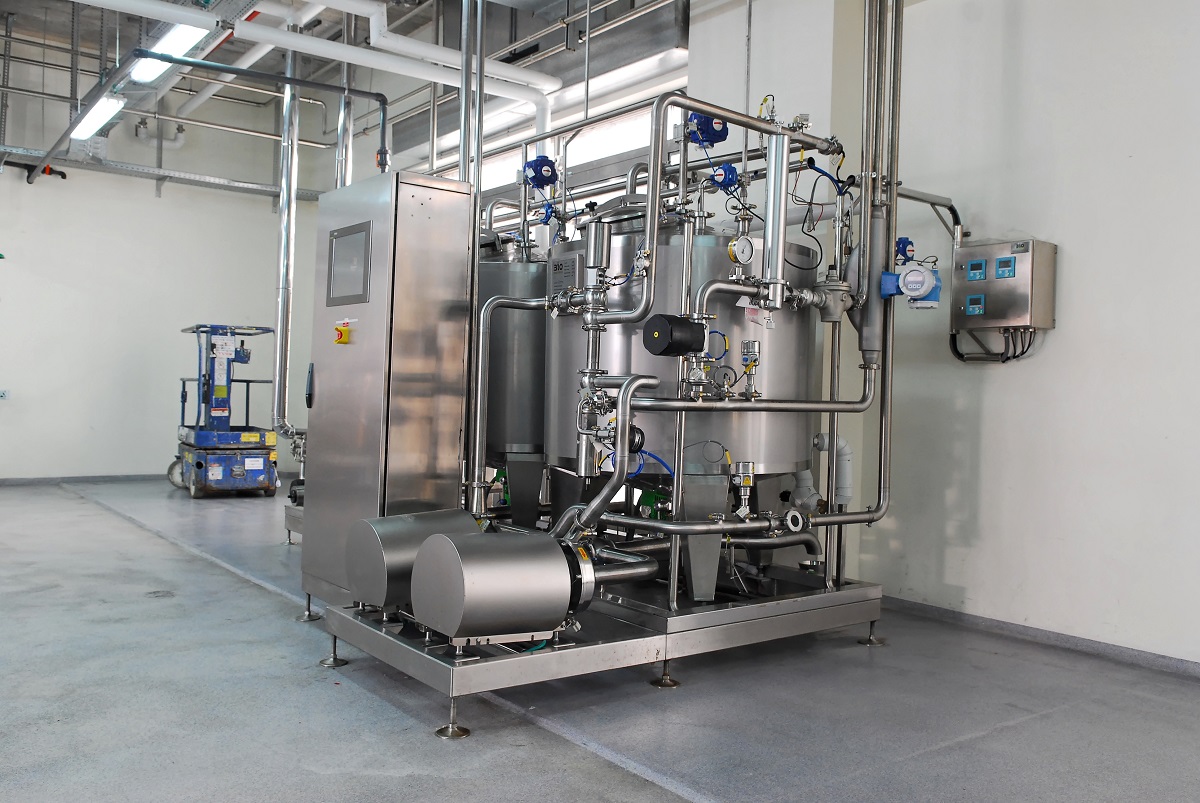
סמארטלוג'יק מעניקה שירותים המסתמכים על ידע וניסיון רב בעבודה עם מערכות מים, RO ,CIP, מזקקות, מערכות HVAC ,Utilities, ומודולים מוכנים סטנדרט S-88 שפיתחנו עבור מערכות אלו

Test Incidents – Analysis, Logging & Classification

                   GAMP – Test Incidents – Analysis, Logging & Classification

Incident Analysis and Logging

אילן שעיה ilan Shaya
Ilan Shaya CEO , control and automation specialist and designer

This article was written by Ilan Shaya a world specialist in validation, automation & control

When a test incident occurs during a particular step, the overall test should not be continued if the failure produces an output tat that prevents entry into a subsequent step. When a test continues after following a failure, the failed step should be clearly identified on the test results sheet

It is important to fully record the details of all new test incidents and maintain an index of these incidents

Test incidents may be fed either into an existing change control system or into a separate process for resolving test incidents. An example of an incident report (summarizing details of the incident, proposed solution and retest requirements, review, implementation and closure) is given in GAMP 4, Appendix D6

                    Test Incident Classification

In addition to correcting an identified fault, it is important to evaluate test incidents in order to determine their most likely cause. An important part of any Corrective & Preventive Action (CAPA) process is intended to address this issue. Metrics on the causes of avoidable test incidents provide a useful indicator of areas within the overall SW development life cycle that may benefit from improvement activities, to reduce the likelihood of recurrence.

Typical test incident types that occur in SW testing include, but are not limited, to those described below

              Incorrect SW Installation

Errors such as program dumps, abnormal terminations, or inability to access applications, result often from a failure in the installation or configuration process, or the installation of a wrong SW version

When any of these errors is determined to be the cause of the incident, it is usually necessary to postpone any further testing until the test environment is correctly set up

              Incorrect Programming/Coding

Incidents may result in actual system outputs failing to agree with required system outputs. These incidents should be noted, and, unless the defects are considered sufficiently important to invalidate the rest of the test steps, the execution of the test case can continue

Once the cause of a defect is identified, the defect should be corrected and the corrected SW included in a subsequent SW build for retesting

               Incorrect Test Data

Testing failures may occur as a result of failure to create correct data in the test database, in advance of the test case being run

               Inadequate Specification- Incorrect Understanding of Program Functionality

Testing failures may occur as a direct result of the fact that the controlling Design Specification does not state clearly enough what is required from a particular piece of functionality. This may be particularly evident when a custom system is developed to satisfy a new business process that may not be fully established yet

               Poorly Specified Test Case/Script

Tests can fail if the Test Case or Test Script (or other relevant document) produced is incorrect and indicates an outcome different than documented in the corresponding requirements

When a Test Case or Test Script has been modified during execution, a test incident should be raised to manage changes to the Test Case or Test Script, and to confirm the pass/fail status of the test

Incidence of this type of error should be minimized by ensuring independent review of the test case before approval, including a cross check of the expected output as specified in the controlling requirement.

                Incorrect Design Solution

Test errors can arise where the SW may work correctly against design, but the design implemented does not satisfy the original stated requirements, or fail to reflect any subsequently agreed change requests

               Inconsistent Controlling Design Specification

Test incidents can occur where the content of the relevant controlling Design Specification contains inconsistencies. It is, therefore essential that this specification is corrected to prevent further confusion

This incident type should not be confused with Incorrect Programming/Coding, where the SW coded does not match a particular requirement of the controlling Design Specification, and the code needs to be corrected

The controlling Design Specification inconsistencies should be logged in the incident management system so the specification can be corrected following the appropriate document management system

           Unexpected Test Events

During execution of a Test Case or Test Script, the tester may notice an anomaly in the SW that, although not affecting the success of the overall test objective, nevertheless requires further investigation. This event should be recorded in the incident management system in order that the controlling Design Specification, and the corresponding Test Case or Test Script can be updated to reflect the presence of the anomaly

             Test Execution Errors

Test can be classified as failures if the tester fails to follow the steps outlined in the Test Script, or the overall Test Protocol or Test Specification governing that activity

Missing signatures and timestamps for dates, and other important cross reference information is another area that could cause a test to be considered a failure

               Force Majeure

Test incidents of this nature reflect an unexpected event over which the test or project team have no control, and which brings testing to a premature halt. These events can be raised as issues by the project team, but are generally resolved outside of the project

ולידציה – GAMP – Definition of Terms

Good Automated Manufacturing Practice (GAMP) Definition of Terms

Definition of Terms Used in Testing Environments

This document provides a definition of a set of testing terms used within pharmaceutical and other life sciences (consistent with those used in GAMP 4), Information Technology (IT) industries, and control and automation industries, in order to facilitate understanding testing environments.

It is recommended that a definition of consistent testing terms should be prepared on an organizational or project basis, where members of User and Supplier organizations work together. It is helpful to agree on these testing terms definition prior to contract signing, to ensure that contractual issues are based on common understanding of activities and milestones.

:The definition of terms listed below is based on three sources

GAMP 4 Definition from the GAMP Guide for the Validation of Automated Systems

IEEE Definition from IEEE 100, the Authoritative Dictionary of IEEE Standard Terms

BCS Definition from Working Draft: Glossary of terms used in software testing, version 6.2, produced by the British Computer Society Interest Group in Software Testing – BCS SIGIST

Terms and Definitions

Terminology Definition Source
Acceptance Criteria Criteria that a system or component must satisfy in order to be accepted by the User, customer or other authorized entity  GAMP 4 , IEEE
Acceptance Test

Formal testing conducted to determine whether or not a system satisfies its acceptance criteria, and to enable the customer to determine whether or not to accept the system

See also Factory Acceptance Test (FAT) and
Site Acceptance Test SAT

 ,GAMP 4 IEEE
Black Box Testing See Functional Testing IEEE
Boundary Condition Testing Testing for correct operation when one or more variables are at a limiting value or a value at the edge of the domain of interest IEEE
Calibration Set of operation that establish, under specified conditions, the relationship between values indicated by a measuring instrument or system, or values represented by a material measure or a reference material, and the corresponding values of a quantity realized by a reference standard  GAMP 4,   ISO 10012


Terminology Definition Source
Challenge Testing Testing to check system behavior under abnormal conditions. Can include stress testing and deliberate challenges, e.g., to the security access system, data formatting rules, possible combinations of operator's actions, etc
Commissioning Process of providing to the appropriate components the information necessary for the designed communication between them IEEE
Emulation A model that accepts the same inputs and produces the same outputs as the given system IEEE
Environmental Testing Testing that evaluates system or component performance up to the specified limits of environmental parameters, e.g., temperature, humidity or pressure
Firmware FW Combination of hardware (HW) device, computer instructions and data that reside as read-only software (SW) on that device IEEE
Factory Acceptance Test FAT

Acceptance Test in the Supplier's Factory, usually involving the customer

See also Factory Acceptance Contrast to Site Acceptance Test – SAT

GAMP 4 , IEEE
Functional Testing Testing that ignores the internal mechanism of a system or component, and focuses solely on the outputs generated in response to input and execution conditions
Also known as Black Box Testing
GAMP 4 , IEEE
Hardware- HW

Physical equipment used to process, store, or transmit computer programs or data

Physical equipment used in data processing, as opposed to programs, procedures, rules, and associated documentation

IEEE
HW Testing Testing carried out to verify the correct operation of system HW independent of any custom application SW IEEE
Installation Qualification – IQ Documented verification that a system is installed according to written and pre-approved specifications  GAMP 4 , IEEE
Integration

Process of combining SW components, HW components, or both, into an overall system

Sometimes described as SW Integration and System Integration, respectively

IEEE


Terminology Definition Source
Integration Testing

(1) Testing in which SW components, HW components, or both, are combined and tested to evaluate the integration between them

(2) Orderly progression of testing of incremental pieces of the SW program, in which SW elements, HW elements, or both, are combined and tested until the entire system has been integrated to show compliance with the program designed, and the system capabilities and requirements

IEEE
Instance Single installation of a SW application (plus associated databases, tools and utilities). Usually applied to configurable IT systems
Load Testing Stress testing conducted to evaluate a system or component up to the limits of its specified requirements
Loop Testing Testing in which control system inputs and outputs are exercised and their functionality verified
Market Requirements Specification Statement of generic industry requirements used by the Supplier as an input to its product development life cycle IEEE
Middleware Combination of HW, computer instructions and data that provides infrastructure used by other system modules IEEE
Module Testing Testing of individual HW or SW components, or groups of related components IEEE
Negative Testing Testing aimed at showing that the SW does not work BCS
Operational and Support Testing

(1) Testing conducted to evaluate a system or component in an operational environment

(2) All testing required to verify system operation in accordance with design after the major component is energized or operated

IEEE
Operation Qualification- OQ Documented verification that a system operates according to written and pre-approved specifications throughout all specified operating range GAMP 4 , IEEE
Performance Qualification – PQ Documented verification that a system is capable of performing or controlling the activities of the processes it is required to perform or control, according to written and pre-approved specifications, whilst operating in its specified environment GAMP 4 , IEEE
Positive Testing Testing aimed at showing that the SW does meet the defined requirements BCS


Terminology Definition Source
Qualification Process to demonstrate the ability to fulfill specified requirements

GAMP 4

  ISO

Simulation A model that behave or operates like a given system when provided a set of given inputs IEEE
Site Acceptance Test – SAT

Acceptance Test at the customer's Site, usually involving the customer

See also Factory Acceptance Contrast to Site Acceptance Test – SAT

GAMP 4,

IEEE

Software – SW Computer programs, procedures, and associated documentation and data pertaining to the operation of a computer system IEEE
Stress Testing Testing conducted to evaluate a system or component at or beyond the limits of its specified requirements IEEE
Structural Testing Examining the internal structure of the source code. Includes the low-level and high-level code review, path analysis, auditing of programming procedures, and standards actually used, inspection for extraneous "dead code", boundary analysis and other techniques. Requires specific computer science and programming expertise
Also known as White Box Testing
GAMP 4
Supplier Organization or person that provides a product   GAMP 4,  ISO
System Testing Testing conducted on a complete, integrated system to evaluate its compliance with its specified requirements GAMP 4
Test

 Procedure in which by executes an activity under specified conditions, the results are observed and recorded, and an evaluation is made of some aspect of that system or component

 Determination of one or more characteristics according to a procedure

,GAMP 4

ISO

GAMP 4

 IEEE

Test Case Set of test inputs, execution conditions and expected results developed for a particular objective, such as to exercise a particular program path or to verify compliance with a specific requirement

GAMP 4 ,

 IEEE

Test Plan Document describing the scope, approach, resources and schedule of intended activities. It identifies test items, features to be tested, testing tasks, personnel en charged of each task, and risks requiring contingency planning GAMP 4


Terminology Definition Source
Test Procedure Detailed instructions for the setup, execution and evaluation of results for a given test case GAMP 4,   IEEE
Test Protocol See Test Specification IEEE
Test Script Documentation that specifies a sequence of actions for executing a given test GAMP 4 , IEEE
Test Specification Document describing the scope, management, use of procedures, sequencing, test environment, and prerequisites for a specific phase of testing
Test Strategy See Test Plan
Unit Testing Testing of individual HW or SW units or groups of related units IEEE
Usability Testing Testing the ease with which Users can learn and use a product BCS
User Person or persons who operate or interact directly with the system GAMP 4
Validation Establishing documented evidence which provides a high degree of assurance that a specific process will consistently produce a product meeting its predetermined specifications and quality attributes GAMP 4 , FDA
Verification Confirmation, through the provision of objective evidence, that specified requirements have been fulfilled GAMP 4 ,    ISO
White Box Testing See Structural Testing IEEE

אוטומציה ובקרה – איך מגדירים מודם במערכת לשליחת SMS

אוטומציה ובקרה – איך מגדירים מודם עבור שליחת הודעות ממערכת הבקרה

מדריך זה נותן מספר נקודות מפתח להגדרת מודם 

הגדרת המודם

ע"מ להתחבר למודם ולהגדיר את הפרמטרים הרצוים לנו, עלינו להשתמש בתוכנת HyperTerminal. במחשבים אשר מערכת ההפעלה שלהן היא Windows 2000, התוכנה מובנת במערכת ההפעלה. אך במערכות ההפעלה Windows 7 ו-Vista, יש להעתיק את התוכנה מהלינק הזה, ולשים אותה במחשב הרצוי(2 קבצים: אפליקציה ו-DLL).

לאחר שפותחים את HyperTerminal, יש להגדיר חיבור חדש עם הפרמטרים הבאים:

(Port: COM# (# – the number of the port the modem is connected to

Rate: 115000, Usualy

Data bits: 8

Parity: None

Stop bits: 1

Flow Control: Hardware

לפני שמתחברים, יש לוודא כי כל האפליקציות המשתמשות באותו הפורט סגורות!

הצעד הבא הוא להגדיר את הקצב הרצוי לנו: 9600.

יש להריץ את הפקודה הבאה ב-HyperTerminal:

AT+IPR=9600

יש לזכור שלאחר ההגדרה, חייבים להגדיר את ה-HyperTerminal מחדש לקצב של 9600.

לאחר מכן, יש להגדיר את הפורמט של ההודעות כהודעות Text:

AT+CMGF=1

לאחר 2 הגדרות אלו, המודם מוכן לשליחת הודעות SMS. יש לבדוק זאת על ידי השימוש בפקודה הבאה:

<AT+CMGS=”+972#########”<Enter

<Test<Enter<

<Ctrl+Z><Enter>

היכן ש-######### הינו מספר הטלפון הרצוי.

אם עקבת אחר ההוראות לעיל, אתה אמור לקבל הודעת טקסט המכילה את המילה Test.

הגדרת תוכנת ה-U.C.ME

כעת ניתן להגדיר את תוכנת U.C.ME. לאחר ההתקנה, יש לפתוח את U.C.ME Configuration.


This tutorial was written by Iian Shaya, validation, automation and control expert

המדריך נכתב ע"י מר אילן שעיה , מומחה אוטומציה ובקרה.


ולידציה – SSO for Turbine Air Inlet Cooling

   Schedule of System Operation – SSO

Turbine Air Inlet Cooling

This article is an elaborated example of a schedule of system operaton – sso we did for one of our clients. Of course the actual documents contain all the operational and alarm parameters  

                Scope

This Schedule of System Operation (SSO) covers the required technical data and operation logic regarding the components of Turbine Air Inlet Cooling system, according to the Smartlogic's requirements and the client specifications

              System General Description

 :Turbine Air Inlet Cooling system contains two cold liquid circuits

Primary – 4 chillers and their respective primary pumps

Secondary – 2 pumps for each turbine inlet air cooling coil, 2 pumps for Cogen1, 2 pumps for Cogen2, and 2 pumps for the electric generator cooling (one operating and the other in standby

                Applicable Documents

User Requirements Specification (URS) for Monitoring and Alarm System

Parameters List

            Operational Parameters List

                          Alarm Parameters List

                              Operation Logic

            :Start Conditions of Chiller

COND_SYS_RDY Signal is on
Relevant pumps are waiting for our commands, including their corresponding valves

OIL_PUMP_OK Signal is on

READY Signal from MCC (C-025/RD) is on

READY Signal from Chiller (JM-025/RD) is on

ZS (Freeze protector) Signal is off, not indicating alarm

           : Running Logic for Chiller

Start corresponding Reg_valve (condenser regulate valve) on 100% and wait until valve feedback indicating >= 95%

Delay REG_VALVE_DLY_SP – 10 second

:If number of operating chillers <= 2

Send signal to  Start_cond_pump_1 – Start one Condense Pump

:If number of operating chillers > 2

Send signal to  Start_cond_pump2 – Start Two Condense Pumps

Verify from via communication that relevant cond_pump has

Delay 20 seconds

Perform PID on PDIT using Reg_valve according to relevant PDT-081-4_SP DeltaP SP
(in manual and/or auto mode)

Start CHW_Pump, chilled water pump

Delay 30 second

Verify relevant FS (flow) Signal is on for 20 seconds

Start Chiller

           : Stop operation for each Chiller

Delay 2 minutes , safety in case user changed the operation order of chillers from HMI

Stop Chiller

Wait for signal off from motor MCC feedback

Delay 60 Sec

If current chiller is 3rd , Send signal to stop Cond_pump_2

If current chiller is 1st , Send signal to stop Cond_pump_1

Close Reg_valve, condenser regulate valve

Delay 30 Sec

Stop CHW_Pump, chilled water pump
Interlock: in any case, CHW_Pump will continue operating as long as the corresponding chiller is operating

            Consumers Pump activation

User can always choose primary/secondary pump

If demand cooling for cogen1/2 via .DI 20 for cogen 1, DI 21 for cogen 2

For first activation: Check TT-087 (supply water) is below SP +1

:Perform PID control with relevant Cogen-TT
For Cogen-1 TE-315-022, for Cogen-2 TE-316-093
according to TT_315_022_SP / TT_316_093_SP using cogen-1/2 primary pump

If PID control loop reaches >= START_HZ_SP activate secondary pump and Continue PID control loop with both primary and secondary pumps

If both primary and secondary pumps at work and PID control loop reaches <= STOP_HZ_SP deactivate secondary pump and Continue PID control loop with primary pump only

If outlet air from cogen 1 or 2 below setpoint -2°C and the pump speed in minimum for 3 minute, stop the cogen pump

When the outlet air is above set point +1°C for 1 minute start the pump

*Generator equipment is not connected to the our PLC

           :Consumers Pumps activation for generator

If number of operating chillers <= 2 then activate first pump

If number of operating chillers > 2 then activate second pump

Stop pumps using reverse order

            :Temperature control for generator valves

Perform PID control with TT-090 according to SP using TV-088, If 316-J-21A operates

Perform PID control with TT-090 according to SP using TV-089, If 316-J-21B operate

           :Start Conditions of Chiller sequence

Demand Cooling at least from one of Cogen-1 / Cogen-2 / Generator. slot 4 DI-19-20-21

            :Chiller sequence run-up

Start first chiller according ‎6

The chilled water pump in the first chiller will start all the time even if we are not receive "chiller ready to start", we do need to receive "MCC ready" and do not receive "chiller shut down" . this function are necessary when the chiller stop in" low water temperature"

Delay Run-up Start_Chiller_DelaySP delay – 10 minutes

According to demand, start next chiller

:Perform sequence control using the maximum calculated value from
:{Flow measurement} calculation and {Temp measurement} calculation

:By flow measurement

Chiller #2 operates when total flow is > CH2_FLOW_SP + CH_FLOW_OFFSET_ SP

Chiller #3 operates when total flow is > CH3_FLOW_SP + CH_FLOW_OFFSET_ SP

Chiller #4 operates when total flow is > CH4_FLOW_SP + CH_FLOW_OFFSET_ SP

Chiller #2 stops when total flow is <= CH2_FLOW_SP – CH_FLOW_OFFSET_ SP

Chiller #3 stops when total flow is <= CH3_FLOW_SP – CH_FLOW_OFFSET_ SP

Chiller #4 stops when total flow is <= CH4_FLOW_SP – CH_FLOW_OFFSET_ SP

Total flow = FM1 + FM2 + GenFM

Here are some examples of the PLCs used by Smartlogic: 6XV1830-0EH10, 6ES7131-4BF00*0AA0, 6ES7193-4CA40-0AA0, 6ES7134-4GD00-0AB0, 6ES7193-4CA40-0AA0, 6ES7138-4CA01-0AA0, 6ES7193-4CC20-0AA0, 6ES7590-1AB60-0AA0, 6ES7511-1AK00-0AB0, 6ES7954-8LP01-0AA0, 6ES7155-6AU00-0BN0, 1746-NO4V, 1769-L16ER-BB1B


ולידציה – 3 Validation case study – part

ולידציה – 3 Validation case study – part

 This article was written by Iian Shaya, validation,automation and control expert

אילן שעיה Ilan Shaya
Ilan Shaya CEO , control and automation specialist and designer

Documentation for IQ and OQ – to be checked at PDI/FAT

Welding reports

Surfaces finishing test reports

PDI and FAT results

As-built drawings, 3 sets in nominated project language, plus 1 set in English

As-installed versions of all documentation submitted for design review

Back-up software on diskette/CD-ROM, as appropriate, ready for re-installment

Machine configuration/start up, set-up and commissioning data, including tabulation of all change parts and identifications

Full machine parts list

Complete documentation (protocols and method statements) required for equipment DQ, calibration, IQ and OQ specified for manual and automatic operations

Calibration certificates for all required instruments to NIST

Specification for all parts manufactured by sub-contractors

Full identification of all parts according to the P&ID, including valves, regulators, instruments, pipes, media and flow direction arrows

Tags for electrical and pneumatic wiring

Documentation to ensure qualification in compliance with FDA and EMEA, as outlined above

DQ Protocols Including PC/PLC

Approval

Statement of purpose

System description

Traceability matrix

IQ Protocols Including PC/PLC

Approval

Statement of purpose

System description

Specifications

Materials in product contact

Engineering drawings

Subsystem inspection

Components

Piping

Valves

Instrumentation and calibrations

PC/PLC requirement definition

Software development documentation

Manual / technical literature

Test equipment data sheet

Component data sheets

Utility requirements

Exceptional conditions, if required

Summary

OQ Protocols Including PC/PLC

Statement of purpose

System description

Manual and automatic control over all modules through HMI

PC/PLC validation protocols

Step-by-step checking of schedule of system operation – SSO

Alarm and message reaction

HMI synoptic screen vs. P&ID

System operation tests

Operation tests for HMI to ensure compliance with 21 CFR part 11

Application software certification

HW documentation

SW code

SW components data sheets

HW components data sheets

PLC configuration

Graph printout

Synoptic screen list and printout

Operation screen list and printout

Parameters list screen

Messages and alarms list, and printout

HW inspections

SW inspections and application

Approved schematic description

Ladder diagram validation

PLC capabilities

PLC accuracy

SW development documentation

List of control devices

Exceptional conditions

Reports – verification of authorization inspection

PQ Protocols Including PC/PLC

Statement of purpose

Analysis procedures

Staff instruction

Plan for sampling

Criteria for acceptance

 This article was written by Iian Shaya, validation,automation and control expert

ולידציה – Validation case study – part 2

ולידציה – Validation case study – part 2

 This article was written by Iian Shaya, validation,automation and control expert

Validation Requirements

Documentation for Initial Tender

Project schedule and milestones design and construction detail

Project quality plan

Supplier’s local subsidiary/agent

Supplier’s documentation that the system / configurable software versions are released to the market and are FDA/EMEA compliant

Compliance to the 21 CFR Part 11 operational requirements – the contractor should ensure covering of all the requirements described below

Contractor to state the system/product status and implementation planned for each requirement – User's approval pre-delivery

Documentation for Design Review

PID for the system

Electrical and pneumatic schematics

:Installation data

General arrangement drawings

Floor loading

Utility requirements

Details of electronic records and approvals that may be subject to regulatory controls under CFR Title 21 part 11

Instrumentation documentation

:Main components specification

Equipment

Instrumentation

Valves

Piping

Control system

Pipe welding documentation

General installation book

Procedures

User guide

Security

Preventative maintenance + spare parts list

Operation procedure

Pressure test procedure

Leak test procedure

Passivation procedure

Calibration

:Functional Design Specifications for

Complete manufacturing system

Software – SW and hardware –HW

Functional Design Specifications

System Detail Design Specifications for HW and SW.

SW source code, with comments, for customized SW

SW complete version history

HMI alarm list, message list and graphical displays

I/O list

:List of materials

Product contact materials

Potential product contact lubricants

Welding procedures for product direct and indirect contact parts

Pre-delivery Inspection and Factory Acceptance Test (FAT) protocols

Steel certificates and gasket certificates

Documentation Prior to FAT or Pre-Delivery Inspection – PDI

:Progress visit report which will include

Mechanical and technical development

Automation and SW development

:Supplier’s factory test results for

Unit tests – The test protocols shall be traced to low level design document and will be approved by the user prior to execution. The approval of the report shall be performed by representatives of the user's validation team, IT QA.

Automation and SW development

:Integration Tests  – Simulation Testing

Approved PDI and FAT protocols

Commissioning

MCCR

Purpose

Scope

Responsibility

Execution instructions

System scope

System description

Drawing verification

Equipment verification

Valve verification

Instrument installation and calibration

Utility verification

Documentations verification

Piping Verification

Sample Point Verification

Safety, health and environment verification

Slopes verification (if relevant)

Electrical and communication activities

Pump installation verification, if relevant

Heat exchanger installation verification, if relevant

Air break verification, if relevant

Dead leg verification, if relevant

CE

Purpose

Scope

Responsibility

Execution instructions

System scope

System description

System startup

Equipment verification

Main equipment operation checks

System FDS (SSO) verification

System performance testing

 This article was written by Iian Shaya, validation,automation and control expert

ולדיציה – Validation case study – part 1

ולדיציה -1 Validation Requirements – case study- part

 This article was written by Iian Shaya, validation,automation and control expert

Validation Requirements is a document which may be part of the validation documentation that describes the validation strategy for a system or subsystem. This document is generic; the system or subsystem may include a PC with Human/Machine Interface (HMI), a Programmable Logic Controller (PLC), virtual hardware (HW), software (SW), and other components designed to maintain the user's facility in proper conditions specified by the user.

Validation Requirements Document Contents

This document is structured in a relatively standard fashion, with predetermined chapters and sections, where the final contents are tailored according to the type and size of the system under validation.

The main chapters and sections of a Validation Requirements document are:

Responsibility

Validation Requirements

Documentation for Initial Tender

Documentation for Design Review

Documentation Prior to Factory Acceptance Test (FAT) or Pre-Delivery Inspection – PDI

Commissioning

Documentation For Installation and Operational Qualification (IQ and OQ) – to be checked at PDI/FAT

Design Qualification (DQ) Protocols (Including PC/PLC) Architecture

Installation Qualification (IQ) Protocols (Including PC/PLC

Operational Qualification (OQ) Protocols (Including PC/PLC

Performance Qualification (PQ) Protocols

Computerized System Validation

Responsibility

This section lists the responsibilities of contractor, the user, and the required contents of the documents composing the validation file

The contractor is responsible for creation and performing the DQ, Design Review, Commissioning, IQ and OQ validation protocols

The user is responsible for creation and performing the PQ validation protocols

Design Qualification (DQ) – The design of the system will be documented and checked in the Design Specification. This specification will include details of the system and must be traceable to the URS and BOD documents

Mechanical Completion Check Report (MCCR) of the system will be documented and checked only by the contractor. This document will check system readiness for the IQ

Commissioning Execution (CE) of the system will be documented and checked only by the contractor. This document will check system readiness for  OQ

Installation Qualification –IQ

IQ will establish documented evidence that the system is installed according to the manufacturers’ specifications and user requirements, and assure that the environment is appropriate for its intended purpose

Each IQ protocol will include an appendix of deviation report, which describes the deviations (if they existent) of the specific system, and the contractor will be responsible to correct them

Operational Qualification – OQ

OQ will establish documented evidence that the system is operated according to manufacturers’ specifications and user requirements, and assure that the environment is appropriate for its intended purpose

OQ will establish documented evidence that the system is operated according to manufacturers’ specifications

.Each OQ protocol will include an appendix of deviation report, which describes the deviations (if they existent) of the specific system, and the contractor will be responsible to correct them

Performance Qualification- PQ

PQ will establish documented evidence that the system performs according to manufacturers’ specifications and user requirements, and assure that the environment is appropriate for its intended purpose

The PQ protocols are user's responsibility

 This article was written by Iian Shaya, validation,automation and control expert

ולידציה – FSD – System Functions and Facilities

ולידציה – FDS – System Functions and Facilities

 This article was written by Iian Shaya, validation,automation and control expert

.The Function Design Specification (FDS) is part of the validation documentation. In this article I will continue to elaborate the  parts of the FSD of system function and the system facilities

Modes of Operation

This section details all modes of operation for the system, including

Automatic/Manual

Start-up/Shutdown

Overrides

Emergency Shutdown

System Failure and Recovery

Functional Operation

This section divides each of the sequential functions into logical areas (determined by the process), and provide complete description of each function, including

Normal Control Functions – such as normal sequencing, control, etc

Interlocks – details of all interlocks within the function

Alarms – lists of all associated alarms and actions for recovery

Operator Requirements

This section describes the interface between the operator and the detailed function. It is probably the most important to the user during the design phase, as it fully details all the functions to be supplied by the system in order to meet the user's requirements. It must be written clearly and concisely, so that operators and users without technical background can visualize the system to be supplied. Inputs from the user should be clearly detailed so that the operational requirements can be determined

Human/Machine Interface – HMI

This section describes in detail all points of operation, local terminals, remote terminal, message displays, pushbutton stations, etc

Where computerized interfaces are used, such as SCADA or HMI, a list of the screens and the proposed content should be included

Dynamic Attributes – dynamic color changes for status

Display Values – Values to be displayed on screen and resolution- No. of decimal places

Input Devices – Operator interaction devices, mouse, keyboard, touch screen, etc

Alarm and Event Displays

Security – Password Access

System Data

All the data gathered, generated or calculated by the system should be detailed. The detailed data should include

Type

Range

Accuracy/Resolution

Scaling

All the data to be stored should be detailed. This includes historical trend data, alarms and events, taking into consideration the following

Location of data to be stored – fixed disk, floppy disk, etc

Retention period – length of time for the data to be maintained

Data Archive – procedures for backup to removable medium

Data Export – export facilities to other formats, such as Excel, Access, Lotus, etc

System interfaces

This section provides complete details of all inputs and outputs from the control system. When separate I/O schedules are generated, these documents must be referenced in the FDS, or else, the complete schedules must be included in the FDS appendix

For digital and analog I/O, this section should provide details of voltage, current, etc., being specific where interfacing to 3rd party equipment. The signal states should be included as follows

Digital inputs – two states

False or Off

True or On

Analog inputs – detailed range

Detailed communication interfaces between systems should include protocols and formats, and also provide complete details of data to be transferred, paying special attention to 3rd party devices

 This article was written by Iian Shaya, validation,automation and control expert

אילן שעיה ilan Shaya

ולידציה – Function Design Specification – FDS

ולידציה – Function Design Specification – FDS

 This article was written by Iian Shaya, validation,automation and control expert

The Function Design Specification (FDS) is part of the validation documentation that details the solution to be provided to meet the user's requirements. It should be approved by the user and should form the basis of the design for both hardware (HW) and software (SW) designs.

The FDS provides the basis of the design of the system and is used to verify and validate the system during the testing, ensuring all the required functions are present and that they operate correctly. It details all the functions, operator interactions control and sequencing associated with the system, thus allowing the user to confirm, before the system is developed that the proposed solution fully meets its requirements.

FDS Contents

The FDS is structured in a relatively standard fashion, with predetermined chapters and sections, where the final contents are tailored according to the type and size of the system under validation. The FDS presented here includes only to the technical contents. It does not include commercial and contractual requirements, which may also be generally included.

The main chapters and sections of an FDS protocol are:

Relationship to Other Documents – lists all documentation used in the production of the FDS. Includes suppliers' documents (such as URS) and drawings. Each document listed should include the document/drawing number and version number. This allows traceability as documents are updated throughout the project life cycle on any impact on the FDS.

System Overview

Process Overview – includes a description of the process being controlled; this may be taken from the URS, enhancing to detail the interaction with the control system.

Control System Overview – includes detailed control system description, with all the components and interaction between the systems; block and network diagrams can be used to show in detail the system architecture

Scope and Limits of Supply

Scope of Supply – includes a list of deliverables, panels, computers, software, etc

Limits of Supply – includes all items outside the scope of the supply required by the project; where interfacing to 3rd party systems, constraints and assumptions should be included

System Functions and Facilities

Operation Modes – includes all modes of operation for the system

Functional Operation – divides each of the sequences functions into logical areas (determined by the process), and provide complete description of each area

Operator Requirements – describes the interface between the operator and the detailed function

Human/Machine Interface- HMI – details all points of operation, local terminals, remote terminal, message displays, push button stations, etc.

Report Outputs – the format of all reports generated by the system should be detailed, and that the format and explanation of the report contents should be included

System Data – all data gathered, generated or calculated by the system should be detailed

System Interfaces – provide complete details of all inputs and outputs from the control system

System Attributes

Availability – defines expected "working" time of the system between failures

Maintainability – details issues related to maintainability of the plant, in particular for systems that require regular maintenance to ensure the reliable operation

Transport and off loading

Power and services required

Connections to existing/3rd party systems

Changes to existing plant or hardware (HW) equipment

Changes to existing software (SW) systems

Training – details the formal and informal training to be supplied under the contract

Design Factors – details special factors relating to the design of the system, standards and methodologies to be followed for both the HW and SW development

Development Factors

Project Control – includes or makes reference to project plans and timescales, along with details of quality requirements, standards, test and integration and configuration management

Resource Requirements – includes the basic project team provided by the supplier, the access required to the customer's premises, and input and timing required by the customer into the project

Test procedures – including details of all test documentation and responsibilities for testing both offline and online

Module and Integration Testing

Factory Acceptance Testing (FAT) – performed at the suppliers premises

Site Acceptance Testing (SAT) – performed on completion of commissioning to demonstrate pre-handover system operation

:Note

As the final contents of the FDS are tailored according to the type and size of the system under validation, and this document is generic, it covers test procedures that may not be necessary in small or simple systems. The following sections cover the FDS issues that require further details

 About the system functions and facilities in our next article FSD System Function & Facilities

 This article was written by Iian Shaya, validation,automation and control expert

אילן שעיה ilan Shaya