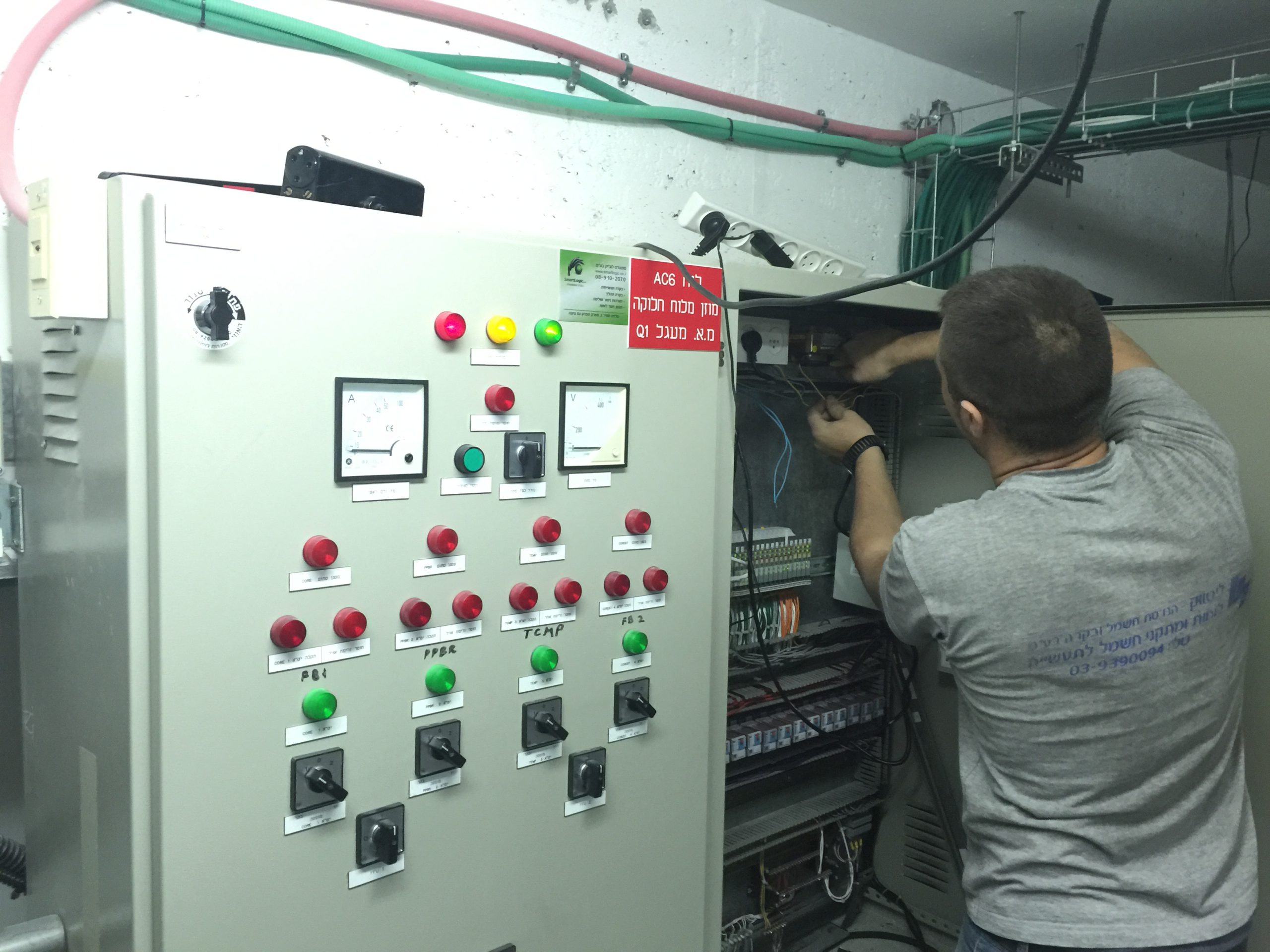

תהליך אוטומציה ובקרה הכרחי לייעול תהליכי ייצור, הגברת הפרודוקטיביות ושיפור האחידות במוצרים ושירותים.
חברת סמארט לוג'יק מומחית בתחום אוטומציה ובקרה מספקת שירות ללקוחות מכל מגזרי התעשייה והייצור.
להלן מידע מפורט אודות תהליכי אוטומציה ובקרה, שיטות עבודה, מדריכים ונקודות חשובות נוספות:
This articular is the third part of our review about PLCs. After PLCs Functionality&Features and PLCs Topic – part 1 that covers the subjects of Scan Time, System Scale, User interface & Communications, this part is about PLCs Programming, Digital and Analog Signals & PLC Advantages.
PLC– Programming
PLC programs are typically written in a special application on a PC, then downloaded by a direct-connection cable or over a network to the PLC. The program is stored in the PLC either in battery-backed-up RAM or some other non-volatile flash memory.
IEC 61131-3 defines several programming languages for programmable control systems, which emphasize logical organization of operations.
While the fundamental concepts of PLC programming are common to all manufacturers, differences in I/O addressing, memory organization and instruction sets mean that PLC programs are never perfectly interchangeable between different makers. Even within the same product line of a single manufacturer, different models may not be directly compatible.
PLC – Digital and Analog Signals
Digital or discrete signals behave as binary switches, yielding simply an On or Off signal (1 or 0, True or False, respectively). Push buttons, limit switches, and photoelectric sensors are examples of devices providing a discrete signal. Discrete signals are sent using either voltage or current, where a specific range is designated as On and another as Off. For example, a PLC might use 24 V DC I/O, with values above 22 V DC representing On, values below 2VDC representing Off, and intermediate values undefined. Analog signals are like volume controls, with a range of values between zero and full-scale. These are typically interpreted as integer values (counts) by the PLC, with various ranges of accuracy depending on the device and the number of bits available to store the data. Pressure, temperature, flow, and weight are often represented by analog signals. Analog signals can use voltage or with a magnitude proportional to the value of the process signal. Current inputs are less sensitive to electrical noise (i.e. from welders or electric motor starts) than voltage inputs.
PLC Advantages Relative to Other Control Systems
PLCs are well adapted to a range of automation tasks. These are typically industrial processes in manufacturing where the cost of developing and maintaining the automation system is high relative to the total cost of the automation, and where changes to the system would be expected during its operational life. PLCs contain input and output devices compatible with industrial pilot devices and controls; little electrical design is required, and the design problem centers on expressing the desired sequence of operations. PLC applications are typically highly customized systems, so the cost of a packaged PLC is low compared to the cost of a specific custom-built controller design.
Here are some examples of the PLCs used by smartlogic: 6XV1830-0EH10, 6ES7131-4BF00-0AA0,6ES7193-4CA40-0AA0,6ES7134-4GD00-0AB0,6ES7193-4CA40-0AA0, 6ES7138-4CA01-0AA0,6ES7193-4CC20-0AA0, 6ES7590-1AB60-0AA0, 6ES7511-1AK00-0AB0, 6ES7954-8LP01-0AA0,6ES7155-6AU00-0BN0
PLC – Scan Time
A PLC program is generally executed repeatedly as long as the controlled system is running. The status of physical input points is copied to an area of memory accessible to the processor, sometimes called the "I/O Image Table". The program is then run from its first instruction rung down to the last rung. It takes some time for the processor of the PLC to evaluate all the rungs and update the I/O image table with the status of outputs. This scan time may be a few milliseconds for a small program or on a fast PLC.
PLC – System Scale
A small PLC has a fixed number of connections built in for inputs and outputs. Typically, expansions are available if the base model has insufficient I/O.
Modular PLCs have a chassis (also called a rack) into which are placed modules with different functions. The processor and selection of I/O modules are customized for the particular application. Several racks can be administered by a single processor, and may have thousands of inputs and outputs. A special high speed serial I/O link is used so that racks can be distributed away from the processor, reducing the wiring costs for large plants.
PLC- User interface
PLCs may need to interact with people for the purpose of configuration, alarm reporting or everyday control. Human-machine interface (HMI) is employed for this purpose. HMIs are also referred to as man-machine interfaces (MMIs) and graphical user interface (GUIs). A simple system may use buttons and lights to interact with the user. Text displays are available as well as graphical touch screens. More complex systems use programming and monitoring SW installed on a computer, with the PLC connected via a communication interface.
PLC- Communications
PLCs have built-in communications ports and corresponding communications protocols, such as RS-232, EIA-485, Ethernet, Modbus, BACnet or DF1.
Most PLCs can communicate over a network to some other system, such as a computer running a SCADA (Supervisory Control And Data Acquisition) system or web browser.
PLCs used in larger I/O systems may have peer-to-peer (P2P) communication between processors. This allows separate parts of a complex process to have individual control while allowing the subsystems to co-ordinate over the communication link.
Here are some examples of the PLCs used by smartlogic: 6XV1830-0EH10, 6ES7131-4BF00-0AA0,6ES7193-4CA40-0AA0,6ES7134-4GD00-0AB0,6ES7193-4CA40-0AA0, 6ES7138-4CA01-0AA0,6ES7193-4CC20-0AA0, 6ES7590-1AB60-0AA0, 6ES7511-1AK00-0AB0, 6ES7954-8LP01-0AA0,6ES7155-6AU00-0BN0
A Programmable Logic Controller – PLC is a digital computer used for automation of electromechanical processes, such as control of machinery on factory assembly lines. Unlike general-purpose computers, the PLC is designed for multiple inputs and output arrangements, extended temperature ranges, immunity to electrical noise, and resistance to vibration and impact. Programs to control machine operation are typically stored in battery-backed-up or non-volatile memory. A PLC is an example of a hard real time system since output results must be produced in response to input conditions within a limited time, otherwise unintended operation will result.
PLCs are usually programmed using application software (SW) on personal computers (PCs). The PC is connected to the PLC through Ethernet, RS-232, RS-485 or RS-422 cabling. Most PLCs used by smartlogic when designing an automation and control systems are the Siemens PLC and Allen Bradley's.The programming SW allows entry and editing of the ladder-style logic. Generally the SW provides functions for debugging and troubleshooting the PLC software, for example, by highlighting portions of the logic to show current status during operation or via simulation. The SW will upload and download the PLC program, for backup and restoration purposes.
The functionality of the PLC includes sequential relay control, motion control, process control, distributed control systems and networking. The data handling, storage, processing power and communication capabilities of some modern PLCs are approximately equivalent to desktop computers.
The PLC unit consists of separate elements, such as power supply, controller, relay units for in- and output
The main difference from other computers is that PLCs are armored for severe conditions (such as dust, moisture, heat, cold) and have the facility for extensive input/output (I/O) arrangements. These connect the PLC to sensors and actuators. PLCs read limit switches, analog process variables (such as temperature and pressure), and the positions of complex positioning systems. On the actuator side, PLCs operate electric motors, pneumatic or hydraulic cylinders, magnetic relays, solenoids, or analog outputs. The input/output arrangements may be built into a simple PLC, or the PLC may have external I/O modules attached to a computer network that plugs into the PLC.
Here are some examples of the PLCs used by Smartlogic: 6XV1830-0EH10, 6ES7131-4BF00-0AA0, 6ES7193-4CA40-0AA0, 6ES7134-4GD00-0AB0, 6ES7193-4CA40-0AA0, 6ES7138-4CA01-0AA0, 6ES7193-4CC20-0AA0, 6ES7590-1AB60-0AA0, 6ES7511-1AK00-0AB0, 6ES7954-8LP01-0AA0, 6ES7155-6AU00-0BN0, 1746-NO4V, 1769-L16ER-BB1B
מערכת בקרה תעשייתית היא מונח כללי שמתייחס לסוגים שונים של מערכות בקרה שמשמשים בייצור תעשייתי, כולל: מערכת בקרה לפיקוח והשגת מידע -Supervisory Control and Data Acquisition – SCADA, מערכת בקרה מבוזרת – DCS – Distributed Control System – , וקונפיגורציות של מערכות בקרה קטנות יותר כגון בקרים עם לוגיקה שניתנת לתכנות – Programmable Logic Controllers -PLCs שנמצאים לעתים קרובות במערכים תעשייתיים ותשתיות קריטיות.
.מערכות בקרה תעשייתיות משמשות בד"כ בתעשיות שמייצרות או מספקות מוצרים חשמליים, מים, נפט, גז, ומידע. סמארטלוג'יק מתמחה באוטומציה ובקרה, בתכנון,התקנה ותחזוק מערכות אלו
Supervisory Control and Data Acquisition – SCADA – System
מערכת בקרה מסוג זה פועלת עם אותות מקודדים שעוברים דרך ערוצי תקשורת לאספקת בקרה על ציוד מרוחק (בד"כ ערוץ תקשורת אחד עבור תחנה מרוחקת אחת). מערכת הבקרה יכולה להשתלב עם מערכת להשגת מידע ע"י הוספת שימוש באותות מקודדות על ערוצי תקשורת, להשגת מידע על הסטאטוס של הציוד המרוחק לצורך תצוגה או הקלטה.
מערכות בקרה אלו מבוססות על מערכות ממוחשבות שמנטרות ומבקרות תהליכים תעשייתיים. מערכות מסוג SCADA נבדלות היסטורית ממערכות תעשייתיות אחרות עקב תהליכים בקנה-מידה גדולים שכוללים אתרים רבים מפוזרים במרחקים גדולים.
Distributed Control System- DCS
מערכת בקרה מסוג זה משמשת לבקרת תהליכים תעשייתיים כגון ייצור חשמל, זיקוק נפט וגז, אספקת מי שתייה וטיפול במי ביוב, וייצור מוצרים כימיים, מוצרי אוכל ומכוניות. מערכות מסוג DCS משתלבות במערכי בקרה הכוללים פיקוח על תת-מערכות משולבות אחראיות על בקרת ציוד בתהליכים מקומיים.
בקרת מוצרים ותהליכים מושגת בד"כ בעזרת חוגי בקרה עם הזנה אחורה – feed-back control loop – או הזנה קדימה – feed-forward control loop, כך שתנאי המוצר או התהליך נשמרות באופן אוטומטי תוך טווח מוגדר סביב ערך נתון (set point). השגת תנאי מוצר או תהליך במסגרת טווחים מוגדרים אפשרית רק בעזרת בקרים מסוימים הניתנים לתכנות.
בקר מסוג זה מספק בקרה של פעולות לוגיות בוליאניות (Boolean), קוצבי זמן, ותהליכים רציפים (בדגמים מסוימים). יחסי ההגדלה הפרופורציוניים, אינטגרליים ו/או דיפרנציאליים של הבקר בתהליכים רציפים ניתנים לכוונון כדי להשיג את דיוק הטווח מוגדר וכן את מהירות התיקון העצמי במקרה של תקלות בתהליכים. בקרים מסוג PLC משמשים בהרחבה בתעשיות מבוססות על תהליכים. בקרים אלו מתבססים על מחשבים שמבקרים ציוד ותהליכים תעשייתיים. אם כי בקרים מסוג PLC מסוגלים לבקר מרכיבי מערכת שפועלים בעזרת מערכות מסוג SCADA ו- DCS, הם גם באופן תדיר משמשים כרכיבים עיקריים בקונפיגורציות של מערכות בקרה קטנות יותר. הם משמשים גם להענקת בקרה רגולטורית של תהליכים דיסקרטיים , כגון קווי הרכבת מכוניות, ובנוסף משמשים בכמעט כל תהליכי הייצור התעשייתיים.
The Design Specification -DS is part of the validation documentation that provides information necessary to complete the design of the project. This document covers only the DCS side and integration with ELT-GHS-150-T3 Gas Heater skid
The DS is usually structured in a relatively standard fashion, with predetermined chapters and sections, where the final contents are tailored according to the type and size of the system under validation.
:The main chapters and sections of this DS are
Hardware Specification
Wiring and Electrical Cabinet Drawing
Communication and Network Design
Other Documentation
ProfiBus Monitoring Values List
Appendixes
.This section defines the required I/O allocation, according to the wiring diagram document No. P09204-020 Rev2, and 35800SIS0-N0
8 digital inputs
1 digital outputs
ProfiBus connection
Wiring and Electrical Cabinet Drawing
:This section lists the following design information
New Electrical drawing is not needed
:All I/O should be named in a standard fashion, i.e., XXXX-YYY-ZZZ, where
XXXX – 4 prefix letters which indicates the containing system; in this case, the system is PRMS
.YYY – indicates the instrument type according to Siemens naming standard – document no
ZZZ – indicates the serial continuing number
.Siemens Engineering file update is needed in Chapters18C 18D 18E. Other chapters should be examine and discussed in the FRS
.BOP PLC must be stopped during the wiring and ProfiBus module installation. Dalkia should be supply with time table
:This section lists the following design information
.The communication used in this project is Profibus
.The Profibus communication protocol and wiring design will be provided by Siemens
.Siemens Engineering file update is needed. All communication and network chapters should be updated
Siemens Engineering file "stand alone skids and instruments" chapter should be update; all Heater manuals and instructions should be attached to this chapter.
tSP Target Setpoint – Setpoint differential CT15/14 – CT15/13
All Operator.MAIN items – To be later configured
All Operator. SYSTEM.StatusWords.Output) – To be later configured
Man Manual/Auto Mode 76 AUTO (0) – +VFD manual percents
start conditions
Heater valve V101 is open. – GS101 HEATER INDICATION.
Heater valve position V102 is open.
Heater bypass valve V103 is closed.
DCS 10EKA01CF001>1500m3h (indicating that at list one of the gas turbines is on).
DCS 25Barg<10EKA001CP001<45Barg (Gas pressure operation range).
All Heater trips are acknowledged and cleared.
Operator pressed "Start" from DCS.
All alarms from profibus
No alarm response from the DCS.
Perform stop operations as in paragraph
AS (Automation system – PLC) that will be programmed in this integration will be BOP.
The synoptic screen will be programmed and be added to the PRMS screen, as described in Appendix 1 – Synoptic Screen.
All instruments, EG valves and transmitters, will be created according to Siemens standards.
All instruments will be set to READ ONLY, except the START and STOP buttons.
The DS appendixes present examples of design drawings.
Appendix 1 – Synoptic Programming Design.
Appendix 2 – Chapter 18E BOP Example of Electrical Drawing (to be updated)
Appendix 3 – Example of Network Drawing (to be updated)
מומחי סמארטלוג'יק מעבירים הדרכות באופן קבוע בנושאי אוטומציה ובקרה הפעם מומחה סמארטלוג'יק מסביר בפירוט כיצד יש לבצע חיבור של ממיר 485USB עם ModScan
פעל כדלקמן כדי לחבר ממיר 485USB עם ModScan, תוך התייחסות לשלבים במלל וצילומי המסכים בהמשך לכל שלב:
 בשלב ראשון, חבר מתאם 485 ל- USB. המסך לעיל מראה את מיקומו של הפורט הסריאלי 485 בחלון "Device Manager".


להדרכה בנושא העלאת תוכנה מבקר סימנס לחץ כאן, להדרכה בנושא תזמון הרצת סקריפטים בסימפליסיטי לחץ כאן, להדרכה בנושא Configure new WW intoch installation לחץ כאן להדרכה בנושא איך גורמים ל HMI לעבוד עם הרשאות ווינדוס לחץ כאן לתשובות בנושאים נוספים בתחום האוטומציה והבקרה או ולידציה מוזמן ליצור איתנו קשר
After a test is written, reviewed, perhaps rewritten, and finally approved, it is then ready for execution.
Before commencing GAMP tests using individual Test Cases or Test Scripts, pre-requisites for the test phase should first be verified and recorded. For example:
Manual Test Execution
Tests should be carried out as follows:
Possible actions for failed tests and incidents are:
The review group should decide which course of action to take and what retesting is required, and document the justification for the action(s). In my next post I will elaborate more on: Automated Test Execution (and Computerized Test Management Tools).
משתמשים במונח ולידציה לתיאור פעילות הכוללת הכנת הוכחה מתועדת, שמעניקה מידה גבוהה של ביטחון, שתהליך ספציפי יפיק באופן קונסיסטנטי תוצאה שעומדת בספציפיקציות ותכונות איכות מוגדרות מראש
ולידציה מקושרת בד"כ עם מתקן יצור של מוצר שאיכותו עשויה להשפיע על בריאות הציבור, ולכן היא מיועדת לצמצם למינימום את אפשרויות הסיכון הפוטנציאליות שעלולות להשפיע לרעה על איכות המוצר
תהליך הולידציה חייב לעמוד בתקנים של המנהל האמריקאי FDA. התקנים הרלוונטיים ביותר לתהליך הולידציה הם:
• Good Manufacturing Practice – GMP
• Current Good Manufacturing Practice – cGMP
• Good Automated Manufacturing Practice – AMP.
במונח GxP משתמשים יותר בחופשיות בז'רגון הולידציה בהתייחסות לאוסף כללים מנחים.
cGMP הוא הדוגמה הנפוצה ביותר של GxP. עמידה בתקני cGMP מבטיחה אחידות, עוצמה, איכות וטוהר של מוצרים רפואיים ע"י דרישות מיצרני התרופות לבקרה הולמת על תהליכי היצור שלהם.
תקנים נוספים של ה- FDA הרלוונטיים לתהליך הולידציה הם:
• Good Laboratory Practice – GLP.
• Good Clinical Practice – GCP.
תהליך ולידציה כולל תכנון, התקנת והפעלת מערכת ניטור ובקרה במתקו יצור, וכמו כן, תכנון וביצוע תהליכי בדיקה כדי לוודא שמערכת הניטור והבקרה עומדת בסטנדרטים של ה- FDA.
תיעוד ולידציה הינו חלק של תהליך הולידציה שמכיל רישומים כתובים ו/או אלקטרוניים ביחס להתקנה והפעלת מערכת הניטור והבקרה, וביחס לבדיקות המתאימות של אותה מערכת.
הרישומים האלקטרוניים נדרשים בד"כ לעמוד בדרישות FDA שמתייחסות להיקף וישום של התקן
Part 11 of Title 21 of the Code of Federal Regulations; Electronic Records; Electronic Signatures – 21 CFR Part 11.
רישומים אלקטרוניים – Electronic Records יכולים להכיל כל שילוב של מלל, גרפיקה, אודיו, צילומים, או כל מידע אחר המוצג באופן אלקטרוני, כאשר אלו מיוצרים, משתנים, מתוחזקים, מתויקים, מוחזרים ומופצים ע"י מערכת מחשבים.
חתימות אלקטרוניות – Electronic Signatures יכולות להכיל אוסף של כל סמל או סדרת סמלים מבוצעים, מאומצים או מאושרים ע"י גורם שמחויב חוקית באופן שווה ערך לחתימתו בכתב.
משתמשים ברישומים וחתימות אלקטרוניים בד"כ במערכות סגורות, בהן הגישה למערכת מבוקרת ע"י צוות אחראי על התכנים של הרישומים האלקטרוניים.
תיקי ולידציה מכילים באופן כללי שני סוגי מסמכים:
• מסמכים קשורים לתכנון, התקנת והפעלת מערכת הניטור והבקרה:
– ספציפיקציה נדרשת ע"י המשתמש User Requirements Specification – URS
– ספציפיקציה של דרישות פונקציונאליות Functional Requirements Specification -FRS
– ספציפיקציה של תכנון פונקציונאלי Functional Design Specification – FDS
– ספציפיקציה של תכנון חומרה Hardware Design Specification – HDS
– ספציפיקציה של תכנון תוכנה Software Design Specification – SDS
– שרטוט צנרת ומכשור Piping and Instrument Drawing – P&ID
– רשימת כניסות/יציאות Input/Output (I/O) List
• מסמכים שכוללים את תהליכי הבדיקות:
– פרוטוקול קווליפיקצית התקנה Installation Qualification (IQ) Protocol
– פרוטוקול קווליפיקצית פעולה Operation Qualification (OQ) Protocol
– פרוטוקול קווליפיקצית ביצוע Performance Qualification (PQ) Protocol
האחריות לכתיבת ואישור המסמכים משותפת בפועל למשתמש, שמפעיל את מתקן היצור, והספק, שמספק את מערכת הניטור והבקרה להבטחת הפעולה הנכונה של המתקן.
תיקי ולידציה כולל בנוסף חוברות הדרכה / חוברות נתונים / ברושורים של רכיבי המערכת העיקריים לתמיכת משימות הפעולה והתחזוקה של המשתמש.