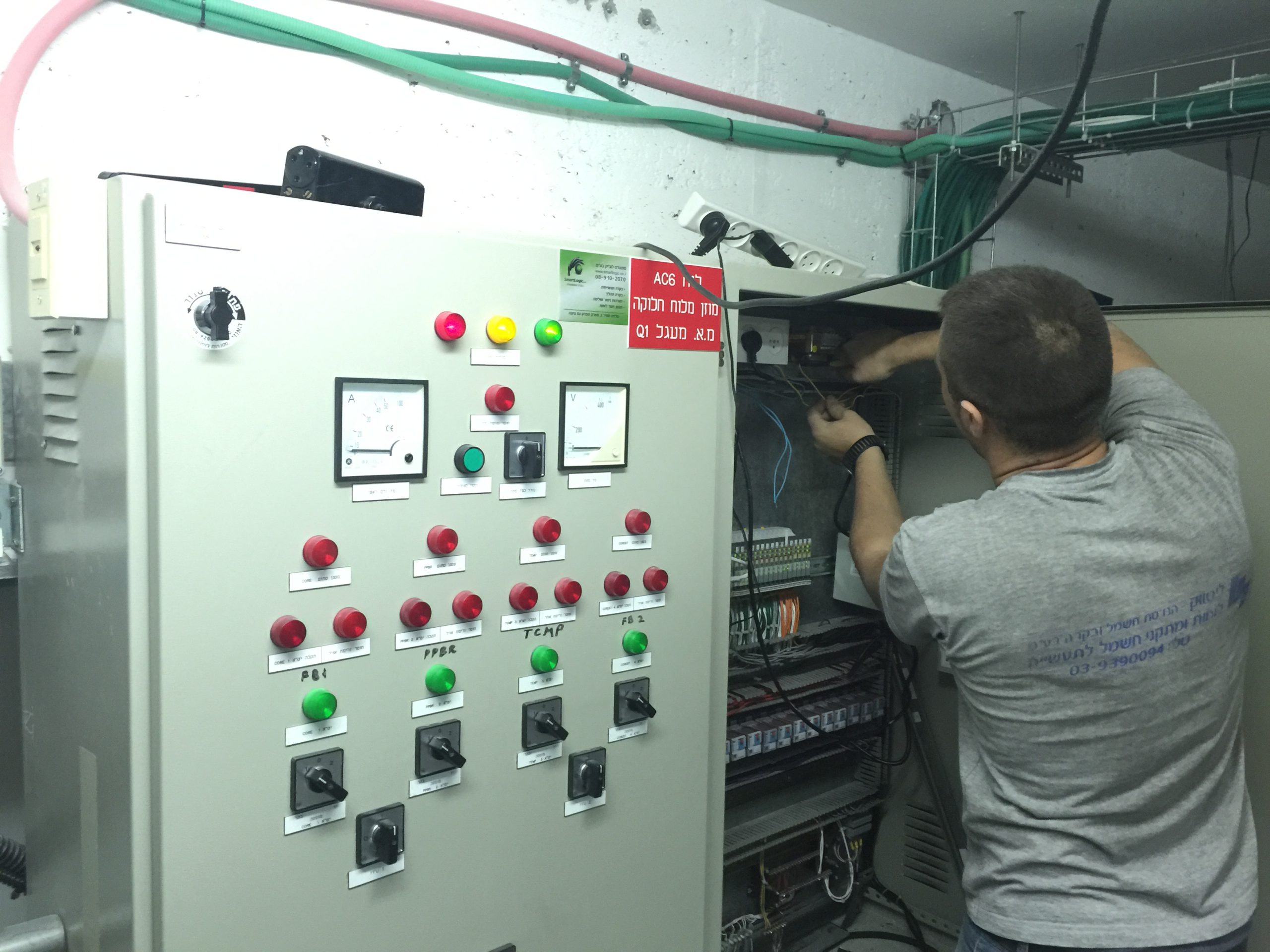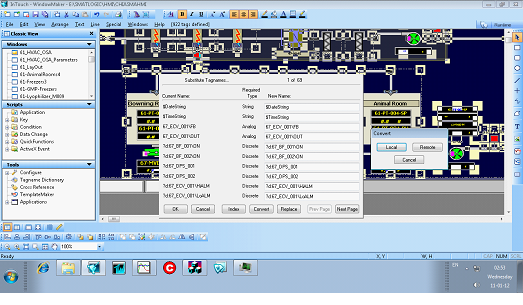

The HMI interface allows human control of the system's performance by integrating the two.
As I've promised on my last post – Good Automated Manufacturing Practice (GAMP) Test Execution – part 1 I will now continue to elaborate on the execution of a test using automated (computerized) test tools. These tools should be conducted in accordance with the Test Plan or Strategy. This should require that all automated tools used to test GxP systems have been subjected to assessment and appropriate validation prior to their use, in order to establish s a high degree of assurance that they will perform as intended, and return accurate and secure results.
Before discussing the benefits and use of automated test tools, it is useful to describe the difference between a computerized test management tool and automated testing.
A computerized test management tool facilitates the task of Test Case and Test Script authoring, review and approval (pre and post execution), test execution, and test deviation management. This is accomplished using workflow enabled processes, electronic test artifact management (i.e., Test Cases, Test Scripts, Deviation Reports), and possibly electronic signatures.
However, even with computerized test management, the actual test execution is performed by the tester, even when this task is aided by the presentation of on-screen test scripts and electronic capture of test evidence. The tester must still manually follow the test steps, provide inputs to the system under test, and record the test evidence.
With automated test execution, the computerized test tool also executes the actual test and records the test evidence. This can significantly reduce the test execution time. Because most automated test execution is based upon initial manual test execution (where the tool often 'records' the manual actions of the tester), automated testing is most often used when executing tests during a second test cycle and is well sited to regression testing.
When planned properly, automating the test activities can bring considerable benefits within the project life cycle. However, if poorly planned, computer based tools and test automation may be difficult, complex, and time consuming task, with little or no return on investment.
Computerized test management tools can significantly reduce the amount of paper used during testing and provide helpful test management support. This includes the ability to report on the test activities status and facilitate test activities using workflow. In most large testing projects, the use of such tool can reduce testing timescales.
Not every aspect of a computerized system can be automatically tested. A key factor in the successful use of such tools is the early identification of the types of tests that should be automated, and the types of tests to be executed manually.
While computerized test management tools and automated testing can both provide benefits, they should be considered separately. Some project may benefit from the use of computerized test management tools, but may derive little benefits using automated test tools.
Before deciding on the usefulness of computerized test management and automated test tools, the following points should be considered:
Will the tools be used in a single project or more broadly within the organization? Typically in a large project or organization, a wide use is necessary to provide return on investment.
How many test cycles are typically executed, and how much regression testing is required? This will help determine the need for automated testing.
Will the tool be used by a dedicated test team, or in all projects? This has an impact on on-going administration and training requirements.
The use of computerized test management and automated test tools need to be regarded as a SW development activity that has its own life cycle. These tools will have their own implementation and validation life cycle. This will place additional requirements on the test team, particularly in terms of the skills required by test script developers.
The use of these tools is only effective if supported by adequate processes and if the staff has the necessary skills to use the tools effectively. The usability of a test tool is significantly enhanced if it is application-interdependent (i.e., used to test multiple application).
Easy maintenance of a test suite is crucial for a successful implementation of an automated test tool.
Automated test tools which include a version and configuration management can significantly improve the effectiveness and efficiency of retesting.
Different test management and automated test tools are used In the IT industry, and the architecture of the application under test often determines the most suited tool. Most tools are purchased as configurable off-the-shelf SW packages, and the test team then configures the package locally to meet the particular usage required.
Before acquiring computerized test management tools or automated test tools, it is important that an organization understands and defines the requirements and form of use.
Test management tools may be classified into four general types:
General computerized test management tools
Developer-oriented tools
Functional test tools
Load and performance related tools
General Computerized Test Management Tools
Manage testing across the project.
Facilitates authoring, review and approval of Test Cases and Test Scripts, often using workflow and electronic signatures.
Allow developers, testers and project managers to track tests being run on various applications.
Trace tests back to their original requirements.
Summaries the defects found during the testing process.
The test management tools help to determine whether changes need to be made to the automated test tools themselves, as a result of changes to the applications being tested. However, they do not provide the facility to automate test execution.
Other tools do provide automated test execution (often integrated into the test management tools). The type of automated test execution tool depends to a large extent on the type of SW application under test and the type of test being executed. Three such tools are presented below
Developer-Oriented Tools
Are used in unit, component and module testing to address issues such as memory leaks or other early performance problems.
Are used to test specific pieces of the developer's application code independent of other units of code within the SW application.
May incorporate capture-replay utilities, which run sample tests against working versions of a program, capturing the activity it generates. During the playback phase, developers can see whether or not they are generating the results they expected.
Are particularly useful in testing large applications where different developers are working on different parts of the application.
Test that the code being developed is acting as expected.
Often contain keyword or table driven execution engines, which allow the development and execution of repeatable tests.
Often have scripting capabilities, allowing testers to modify their scripts to test additional items.
Can often be linked back to other packages providing Requirements Capture and Tracking capabilities, thus facilitating comprehensive requirements traceability.
Are particularly useful to test what happens to the code when multiple users access the application simultaneously, or transactions are required to be submitted, or responses are achieved in tight deadlines that manual testing could not reproduce accurately or consistently.
Are particularly useful for critical web based applications, because it is often difficult to predict the volatility of load change. Tools developed for this type of work can often drill down to lower levels of the code to find out where the bottlenecks are, and what is causing any delays.
These tools can also be valuable when testing the application scalability.
Functional Test Tool
Load and Performance Related Tools
Use of Computerized Test Management and Automated Test Tools
As stated above, Computerized Test Management Tools and Automated Test Tools can prove advantageous on large projects or within an organization. However, the use of such tools will require:
Use of testing procedures (SOPs or Work Instructions) for the activities supported by the tools, such as:
Test Case / Test Script authoring
Test Case / Test Script review and approval
Test execution
Test result review and approval
Test defect reporting
Test defect categorization
Test defect disposition
Test defect closure
Other activities, such as test planning and test status reporting, are less critical from a regulatory perspective and will not require formal procedures.
Users of the test tools that are properly trained in the use of the procedures.
Administration of the tool, including:
Configuration of the tool
Creation of test projects
Administration of users
Support and maintenance activities (backup and restore, capacity planning and performance monitoring, etc.)
Smartlogic ,when implementing test tools, initially defines the test processes to be supported by the tool(s). These test processes should comply with the testing good practices defined by GAMP, and the specific test policies and processes of the owning organization, which should define the requirements for using this tool(s).
All users of the test tools should be trained, not only in the use of the tools, but also in good testing practices.
When using test tools, clear user roles and responsibilities should be defined for each test process. Appropriate technical or procedural access restrictions should ensure that only authorized users are allowed to fulfill a defined role, and that the independence of the test process can be verified and enforced.
When used, computerized test management tools and automated test execution tools should provide the same level of test data integrity as an equivalent paper based process.
All these conditions and requirements can be facilitated through the use of features such as:
Role based authorities and user restrictions
Use of workflow to enforce test processes
Use of electronic or digital signatures
Secure, computer generated audit trails
Verification of Computerized Test Management and Automated Test Tools
The need to assure the security, integrity and availability of test data requires the appropriate selection and verification of the automated test tools (refer to GAMP 4, Appendix M4, section 4 for further details). Because such tools usually have only an indirect impact on product quality, they are considered low risk priority and do not require a detailed a lengthy validation process.
The verification of a computerized test management or automated test tools should focus on demonstrating that the tools are fit for purpose as far as critical requirements are concerned. The critical requirements that should form the basis of the tool verification are:
Security of the test data, facilitated by role based authorities and user restrictions, the use of electronic or digital signatures, and the use of secure, computer generated audit trails. Where the tools do not provide these features, the verification of the tool(s) should focus on establishing such security using logical or physical security controls, procedural controls and paper based audit trails.
Ability of the test tool to enforce defined test processes using workflow or equivalent controls. Where this is not possible, the verification of the tool(s) should focus on the ability of the tool to provide audit trail evidence of the test processes.
The scope of the verification activities may be scaled based upon risk, and should take into account the track record of the supplier and tools in the life sciences.
Test data managed within test tools would not usually be determined to be an electronic record within the scope of predicate rules, and the use of electronic or digital signatures would not usually be determined within the scope of predicate rules, so that the requirements of regulations such as 21 CFR Part 11 would not usually apply.
However, there may be cases where the SW or application tested using such tools is of greater regulatory significance, for example, where the SW or application is defined as a medical device or part of it. In these cases, a more formal validation of the test may be required:
The test record may also be determined to be an electronic record (i.e., an acceptance record under 21 CFR Part 820 Subpart H – Acceptance Activities).
Any associated signatures may be determined to be electronic or digital signatures (i.e., under 21 CFR Part 820.80).
The test management tools may need to comply with the requirements of 21 CFR Part 11, and other regulator guidance in electronic records and digital signatures
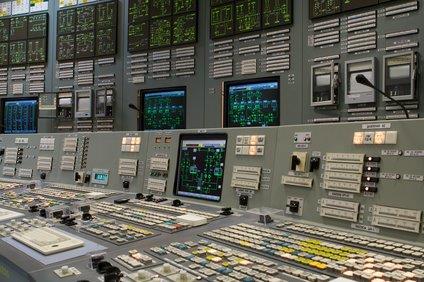
מערכת בקרה תעשייתית היא מונח כללי שמתייחס לסוגים שונים של מערכות בקרה שמשמשים בייצור תעשייתי, כולל: מערכת בקרה לפיקוח והשגת מידע -Supervisory Control and Data Acquisition – SCADA, מערכת בקרה מבוזרת – DCS – Distributed Control System – , וקונפיגורציות של מערכות בקרה קטנות יותר כגון בקרים עם לוגיקה שניתנת לתכנות – Programmable Logic Controllers -PLCs שנמצאים לעתים קרובות במערכים תעשייתיים ותשתיות קריטיות.
.מערכות בקרה תעשייתיות משמשות בד"כ בתעשיות שמייצרות או מספקות מוצרים חשמליים, מים, נפט, גז, ומידע. סמארטלוג'יק מתמחה באוטומציה ובקרה, בתכנון,התקנה ותחזוק מערכות אלו
Supervisory Control and Data Acquisition – SCADA – System
מערכת בקרה מסוג זה פועלת עם אותות מקודדים שעוברים דרך ערוצי תקשורת לאספקת בקרה על ציוד מרוחק (בד"כ ערוץ תקשורת אחד עבור תחנה מרוחקת אחת). מערכת הבקרה יכולה להשתלב עם מערכת להשגת מידע ע"י הוספת שימוש באותות מקודדות על ערוצי תקשורת, להשגת מידע על הסטאטוס של הציוד המרוחק לצורך תצוגה או הקלטה.
מערכות בקרה אלו מבוססות על מערכות ממוחשבות שמנטרות ומבקרות תהליכים תעשייתיים. מערכות מסוג SCADA נבדלות היסטורית ממערכות תעשייתיות אחרות עקב תהליכים בקנה-מידה גדולים שכוללים אתרים רבים מפוזרים במרחקים גדולים.
Distributed Control System- DCS
מערכת בקרה מסוג זה משמשת לבקרת תהליכים תעשייתיים כגון ייצור חשמל, זיקוק נפט וגז, אספקת מי שתייה וטיפול במי ביוב, וייצור מוצרים כימיים, מוצרי אוכל ומכוניות. מערכות מסוג DCS משתלבות במערכי בקרה הכוללים פיקוח על תת-מערכות משולבות אחראיות על בקרת ציוד בתהליכים מקומיים.
בקרת מוצרים ותהליכים מושגת בד"כ בעזרת חוגי בקרה עם הזנה אחורה – feed-back control loop – או הזנה קדימה – feed-forward control loop, כך שתנאי המוצר או התהליך נשמרות באופן אוטומטי תוך טווח מוגדר סביב ערך נתון (set point). השגת תנאי מוצר או תהליך במסגרת טווחים מוגדרים אפשרית רק בעזרת בקרים מסוימים הניתנים לתכנות.
בקר מסוג זה מספק בקרה של פעולות לוגיות בוליאניות (Boolean), קוצבי זמן, ותהליכים רציפים (בדגמים מסוימים). יחסי ההגדלה הפרופורציוניים, אינטגרליים ו/או דיפרנציאליים של הבקר בתהליכים רציפים ניתנים לכוונון כדי להשיג את דיוק הטווח מוגדר וכן את מהירות התיקון העצמי במקרה של תקלות בתהליכים. בקרים מסוג PLC משמשים בהרחבה בתעשיות מבוססות על תהליכים. בקרים אלו מתבססים על מחשבים שמבקרים ציוד ותהליכים תעשייתיים. אם כי בקרים מסוג PLC מסוגלים לבקר מרכיבי מערכת שפועלים בעזרת מערכות מסוג SCADA ו- DCS, הם גם באופן תדיר משמשים כרכיבים עיקריים בקונפיגורציות של מערכות בקרה קטנות יותר. הם משמשים גם להענקת בקרה רגולטורית של תהליכים דיסקרטיים , כגון קווי הרכבת מכוניות, ובנוסף משמשים בכמעט כל תהליכי הייצור התעשייתיים.
על מנת להגדיר את הכרטיס IF8U נצטרך לבצע את השלבים הבאים:
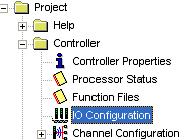
1) כדי להיכנס לתוכנת הבקר RS500 נלחץ עלIO configuration .

2) יפתח לנו החלון הבא – ונבחר בכרטיס Other.

3) נבצע לחיצה כפולה על הכרטיס ויפתח לנו המסך הבא (נגדיר את ההגדרות בדיוק לפי מה שמופיע כאן).

וזהו – סיימנו להגדיר את הכרטיס. אם נרצה להוסיף כרטיסים נוספים מאותו סוג נחזור על אותה הפעולה.
Allen-Bradley הוא אחד מקווי מוצרי אוטומציה בהם משתמשת סמארט לוג'יק במערכות הבקרה והאוטומציה אותם היא מתכננת ומבצעת. אלו בקרים עם לוגיקה שניתנת לתכנות PLCs- Programmable Logic Controllers , ממשקי אדם-מכונה (HMIs- (Human-Machine Interfaces , גששים, רכיבי ומערכות בטחון, תוכנה, מערכות הנעה, מרכזי בקרת מנועים, ומערכות מורכבות מהמוצרים הנ"ל ומוצרים אחרים.
בקרים שניתנים לתכנות (Programmable Controllers)
החל מהבקרים מסוג PLC המקוריים שפותחו בשנות ה- 70, ועד הטכנולוגיה שבעזרתה מפתחים בקרי אוטומציה שניתנים לתכנות PACs- Programmable Automation Controllers,שמאפשרים שימוש בתחומים וסוגי מידע שונים.
ישנן מערכות בקרה בשלושה גדלים שונים בהם ניתן להשתמש בבקרי אלן ברדלי Allen-Bradley : גדולות , קטנות ובמידות מיקרו וננו (Micro & Nano)
מערכות בקרה גדולות – Large Control Systems
מערכות הבקרה הגדולות מתאימים לפתרונות האפליקציות התובעניות ביותר של הצרכנים. הן מאפשרות ארכיטקטורות מודולריות וגיוון רב של סוגי כניסה/יציאה (I/O) ורשתות. הפתרונות רבי העוצמה מספקים יכולות לכל תחומי הבקרה, מתהליך, בטחון ועד תנועה. המערכות מעוצבות לאפליקציות בקרה מבוזרות או לצורך פיקוח. הבקרים מסוג PLC ו- PAC מספקים אמינות ויכולות ביצוע יוצאות מהכלל.
דגמי מערכות גדולות:
1756 ControlLogix Control System
1756 GuardLogix Integrated Safety System
GuardPLC Safety Control Systems
PLC-5 Control System
SoftLogix Control System
מערכות בקרה קטנות Small Control Systems
מערכות הבקרה הקטנות מהוות פתרונות מושלמים לאפליקציות בגודל בינוני. הן מספקות תכונות וגמישות הנדרשות לאפליקציות בגודל זה, ללא צורך בהוצאות מיותרות של שימוש במערכות גדולות. הן כוללות בקרים אמינים במבנה מעוצב באריזות ומודולים. אפליקציות אופייניות של מערכות אלו כוללות בקרה של מכונות מורכבות, עיבוד אצוות (batch processing) ואוטומציה בבניינים.
דגמי מערכות קטנות:
Compact GuardLogix Safety Controllers
CompactLogix Control Systems
SLC 500 Control System
SmartGuard 600 Controllers
מערכות במידות מיקרו וננו Micro & Nano Control Systems
מערכות אלו כוללות בקרים מסוג PLC במידות מיקרו וננו שמספקים פתרונות כלכליים לצרכי בקרה בסיסיים של מכונות פשוטות, החל משימוש במקום ועד תזמון ולוגיקת בקרה פשוטים. האריזה הקומפקטית, מערכי כניסה/יציאה (I/O)ותקשורת משולבים, וקלות בשימוש הופכים את הבקרים האלו לפתרון האידאלי לאפליקציות כגון אוטומציה של תנועת מסועים, מערכות בטחון, ותאורת בניינים ואזורי חנייה.
דגמי מערכות במידות מיקרו וננו:
Micro800 Control Systems
MicroLogix Control Systems
Pico Control System
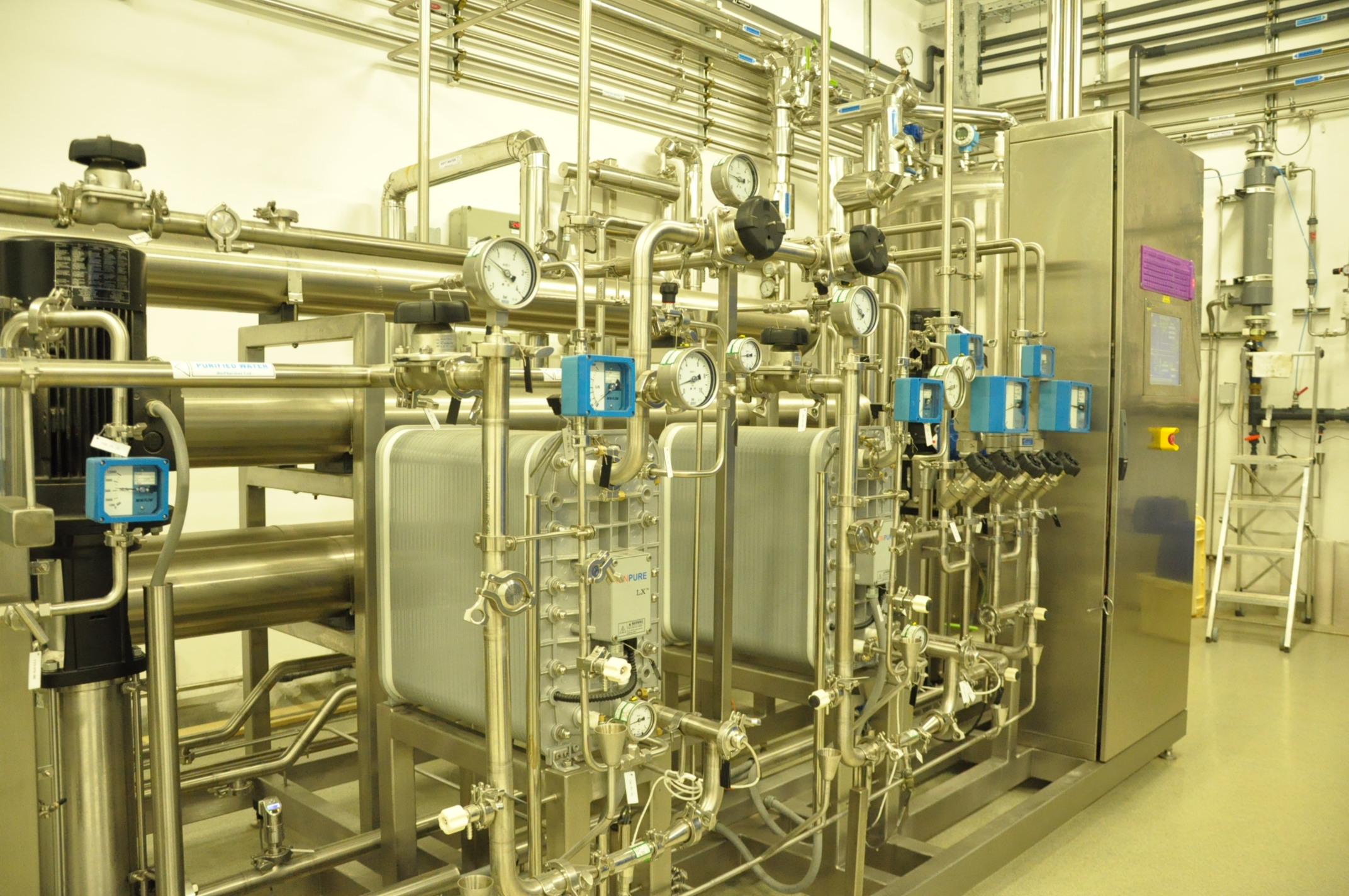
תוכלו לקבל שרותים המסתמכים על ידע וניסיון רב בעבודה עם מערכות מים , RO ,CIP, מזקקות, מערכות HVAC ,Utilities, ומודולים מוכנים סטנדרט S-88 שפיתחנו עבור מערכות אלו בסמארט לוג'יק
בקרה ואוטומציה : היתרון הגדול ביותר של אוטומציה הוא החיסכון בעבודה, אך השימוש בה מאפשר גם חיסכון באנרגיה וחומרים, ומשפר את הדיוק בעבודה ואיכות המוצרים.
אוטומציה הושגה באמצעים שונים -מכניים, חשמליים, הידראוליים, פנאומטיים, חשמליים, אלקטרוניים ומחשבים, בד"כ תוך שימוש משולב. מערכות מורכבות, כגון בתי חרושת מודרניים, אניות וכלי טיס כוללות שימוש משולב באמצעים הנ"ל.
אחד מסוגי הבקרה הפשוטים ביותר הוא פתוח/סגור (on/off). דוגמה לסוג זה הוא תרמוסטט בשימוש במתקנים ביתיים. אם כי מבחינה טכנית תרמוסטט הוא סוג של אוטומציה, היכולות שלו הן פרימיטיביות.
בקרה ואוטומציה סדרתית (sequential control), שבה מתבצעת סדרה מתוכנתת של פעולות דיסקרטיות, מבוססת לעתים קרובות על מערכת לוגית שכוללת סדרה מסודרת של מצבי מערכת. מע' בקרת מעלית היא דוגמה לבקרה סדרתית.
אוטומציה מהסוג המתקדם שגרמה למהפכה בתהליכי יצור, מטוסים, תקשורת ותעשיות אחרות זו בקרה עם משוב (feedback control), שהיא בד"כ רציפה (continuous), וכוללת מדידות בעזרת חיישנים (sensors) וביצוע כיוונונים (adjustments) מחושבים לשמירת הערך של משתנה נמדד בטווח ערכים שנקבע מראש.
מעגל פתוח וסגור (open and closed loop)
מערך כל המרכיבים שמבצעים מדידה ובקרה של משתנה נקרא מעגל בקרה (loop control). מערך בקרה שעושה שימוש באות נמדדת, מזין את האות בחזרה ומשוה את ערכה עם ערך נתון (set point), מחשב ושולח אות חוזרת לביצוע תיקון, נקרא בקרה אוטומציה במעגל סגור (loop control closed). אם מערך הבקרה לא כולל משוב לביצוע תיקון המערך פועל במעגל פתוח (loop (open. מעגל בקרה ואוטומציה(loop control) מתבצע בד"כ בעזרת בקר (controller).
בקרה רציפה (sequential control)
בקרה רציפה יכולה להתבצע לפי רצף קבוע (fixed sequence) או רצף לוגי, שבו מתבצעות פעולות שונות לפי מצבי המערכת המשתנים. מצבים אלו יכולים לקרות כאשר משתמשים במערכת ברצף תרחישים שונים. דוגמה לסוג בקרה רציפה היא זו המתבצעת במעלית, שמשתמשת בלוגיקה שמתבססת במצב המערכת לצורך ביצוע פעולות בתגובה למצב הנוכחי והוראות המשתמשים.
בפיתוח מוקדם של בקרה רציפה נעשה שימוש בלוגיקה עם ממסרים (relay logic), שבה ממסרים חשמליים חיברו בין מגעי חשמליים כדי להתחיל או להפסיק את פעולת מכשיר חשמלי.
בקרה ממוחשבת (computer control)
מחשבים מסוגלים לבצע גם בקרה סדרתית (sequential control) ובקרה עם משוב (feedback control), ובמקרים רבים מחשב אחד מבצע את שני סוגי הבקרה בישום תעשייתי. בקרים עם לוגיקה שניתנת לתכנות (- PLCs Programmable Logic Controllers( הם מיקרופרוססורים מיוחדים שמסוגלים להחליף ככיבי חומרה רבים, כגון קוצבי זמן (timers) ושומרי רצף (sequencers) שבהם משתמשים או השתמשו במערכות עם ממסרים חשמליים. מחשבים לבקרת תהליכים (process control computers( לצרכים כלליים החליפו באופן הדרגתי את הבקרים הנפרדים (stand-alone controllers), וכתוצאה מחשב אחד מסוגל לבצע פעולות בקרה שהיו מבוצעים ע"י מאות בקרים נפרדים. מחשבים מסוג זה מסוגלים לעבד מידע מרשת של בקרים מסוג PLC, מכשירים ובקרים שונים ( כגון בקרים מסוגPID – Proportional-Integral-Derivative) כדי לממש בקרה ואוטמציה אופיינית של משתנים נפרדים רבים, או לממש אלגוריתמים מורכבים לצורך בקרה, תוך שימוש בנתוני כניסה רבים ומניפולציות מתמטיות. הם גם מנתחים נתונים ויוצרים מצגות גרפיות בזמן אמת ודו"חות עבור המפעילים, המהנדסים והמנהלים.
כלי אוטומציה
מהנדסים מסוגלים עכשיו לבצע בקרה נומרית (numerical control) של מכשירים אוטומטיים. התוצאה היא טווח של אפליקציות ופעילויות שגדל במהירות. טכנולוגיות שנעזרות במחשבים (Computer-Aided Technologies) משמשות עכשיו כבסיס לכלים מתמטיים וארגוניים לפיתוח מערכות מורכבות. שתי דוגמאות בולטות של תוכנות בשימוש הן: CAD Computer-Aided Design) (ו- CAM Computer-Aided Manufacturing)).
טכנולוגיית האינפורמציה, ביחד עם המכשור והתהליכים התעשייתיים החדשניים, עוזרים בייצוב, מימוש וניטור של מערכות הבקרה. עוד דוגמה של מע' בקרה תעשייתית היא הבקר מסוג PLC. בקרים אלו הם מחשבים מחוזקים בשימוש תדיר בסנכרון זרימה של נתוני כניסה מגששים עם זרימה של נתוני יציאה למכשירי הפעלה.
ממשקי אדם-מכונה (- HMIs Computer-Human Interfaces ) משמשים לתקשור המפעילים עם בקרי PLC ומחשבים אחרים.
להלן רשימה של חלק מכלי האוטומציה העיקריים:
תפקידים אלו לא בהכרח דרושים בכל צוות הבדיקה, ורק פרויקטים גדולים ומורכבים יכללו בד"כ את כל התפקידים המוגדרים בהמשך.
בפרויקטים קטנים יותר תפקידים מסוימים ישולבו עם אחרים כל עוד שילוב זה לא יצור ניגוד אינטרסים או לא יפגע בעצמאות בחינת תהליך ותוצאות הבדיקה. לדוגמה, יש להקפיד ש:
מחברי קבצי הבדיקות לא יבחנו בעצמם את הקבצים לפני ביצוע הבדיקות.
הבודקים לא יבחנו בעצמם את תוצאות הבדיקות ורישומי התוצאות.
תפקידים בתוך צוות הבדיקה:
איש צוות יכול לבצע יותר מאחד התפקידים המוגדרים בהמשך כל עוד עצמאות הבחינה לא תיפגע.
מנתח הבדיקה -Test Analyst- מחבר קובץ הבדיקה
test script – מגדיר את קובץ הבדיקה , כולל את ההוראות המפורטות לבדיקת תחום פונקציונאלי ספציפי במסגרת הפרויקט.
יכול לנתח אירועים יוצאי דופן בזמן ביצוע הבדיקה, כדי לקבוע ולרשום את סיבתם לצורך מעקב ופתרון של בעיות פוטנציאליות.
בוחן קובץ הבדיקה – Test Script Reviewer
מוודא שכל הדרישות מולאו כמוגדר בקבצי הבדיקות.
מוודא שכל קובץ בדיקה מכיל דרישה להפקת הוכחה מתועדת שהדרישות בוצעו או נבדקו.
תפקיד זה יכול להתבצע בארגון הלקוח (או משתמש) ע"י חברי צוות אבטחת איכות / בקרת איכות , או איכות טכנולוגית מידע , אך גם מנתחי בדיקות אחרים.
בודק -Tester
מבצע את הבדיקות בהתאם לקבצי הבדיקות.
מודיע על כל חריגה למנהל -Incident Manager.
מפיק ומתאים את הוכחה המתועדת לדרישות קבצי הבדיקות.
עד בדיקה– Test Witness
עדי בדיקה נחוצים מסיבות חוזיות, לדוגמה, כאשר הלקוח (משתמש) מעוניין להיות נוכח בזמן ביצוע הבדיקות, אך בד"כ לא נחוצים.
בוחן תוצאות הבדיקה – Test Result Reviewer
מוודא שכל מהלכי הבדיקות בוצעו כמוגדר בקבצי הבדיקות.
מוודא שכל ההוכחה המתועדת הופקה, נחתמה, תוארכה וקושרה כנדרש בכל שלבי הבדיקות הרלוונטיים.
מוודא שכל החריגות נרשמו.
מאמת את כל תוצאות הבדיקות (מצב עבר/נכשל), בהתבסס על ההוכחות המתועדות.
מנהל הבדיקות – Test Manager
אחראי על התכנון והתיאום של כל פעילויות הבדיקה, ועל דיווח מצב פעילויות הבדיקות הבדיקה למנהל הפרויקט
מוביל צוות הבדיקות– Test Team Leader
מפקח על התיאום וביצוע של הבדיקות בתחומים מוגדרים בצוותי בדיקה גדולים.
מדווח על התקדמות תהליכי הבדיקות למנהל הבדיקות, ומאפשר למנהל להתרכז בתכנון ובפעילויות האסטרטגיות הנדרשות לעמידה בלו"ז המתחייב.
צוות תשתיות הבדיקה-Test Infrastructure Team
מספק את החומרה וחיבורי הרשת הנדרשים להפעלת מערך בדיקה בהתאם לאפיונים המוגדרים.
סגל טכני -Technical Staff
משולב זמנית לצוות הבדיקה במקרים שתהליך הבדיקה מצריך התקנת תוכנה או פעילויות טכניות אחרות להשלמת הבדיקות.
אדמיניסטראטור של צוות הבדיקות -Test Team Administrator
מוודא שכל הפעילויות האדמיניסטרטיביות הנדרשות במהלך הבדיקות מתבצעות בזמן. דוגמאות לפעילויות מסוג זה:
ניהול התיעוד.
עזרה בהקצאת משאבים ופעילויות של רישום זמנים.
רישום פרוטוקולים בפגישות רלוונטיות.
פעילויות אחרות מוקצבות ע"י מנהל הבדיקות.
תפקידים מול צוות הבדיקה:
מפתח תוכנה – Software Developer
עוזר בניתוח מקרים חריגים שקשורים לתוכנה במהלך הבדיקות.
מספק תמיכה לצוות הבדיקה במקרה מספק תמיכה למחבר קובץ הבדיקה בתחילת יישום התכנוןשל שינויי תכנון הנדרשים לפתרון מקרים חריגים שקשורים לתוכנה.
מנהל מקרים חריגים – Exceptions/Incidents Manager
אחראי (בפרויקטים גדולים) לווידוא שכל המקרים החריגים ידווחו וכל הפתרונות הדרושים ימומשו ויבדקו מחדש. בפרויקטים קטנים תפקיד זה יכול להתבצע ע"י מנהל הבדיקות.
עוזר בניתוח מקרים חריגים שקשורים לתוכנה במהלך הבדיקות.
מספק תמיכה לצוות הבדיקה במקרה של שינויי תכנון הנדרשים לפתרון מקרים חריגים שקשורים לתוכנה.
אבטחת איכות / בקרת איכות – Quality Assurance / Quality Control – QC/QA
תפקיד זה יכול להתבצע ע"י מומחה לוולידציה של מערכות ממוחשבות או איכות טכנולוגית מידע ולמעשה ע"י אנשי אנשי צוות טכני מוסמכים מחוץ למחלקת QC/QA:
בוחן באופן עצמאי, ודוחה או מאשר את קבצי הבדיקה לפני ביצוע הבדיקה, כדי לוודא שהם מכסים את כל דרישות האיכות המתחייבות במסגרת הפרויקט.
מספק תמיכה לצוות הבדיקה במקרה של שינויי תכנון הנדרשים לפתרון מקרים חריגים שקשורים לתוכנה.
מנהל הפרויקט – Project Manager
מחזיק באחריות כוללת לווידוא שכל פעילויות הבדיקה כלולות בתוכנית הפרויקט של מנהל הבדיקות , ובמידת הצורך מספק מידע לגבי פיתוח תוכנית או אסטרטגיית הבדיקה.
אחראי על פתרון בעיות מחריפות עם אימפליקאציות רחבות שמשפיעות לרעה מעבר לצוות הבדיקה.
מנהל התוכנית – Program Manager
מחזיק באחריות כוללת על ניהול מהלכי עבודה מסועפים בפרויקטים גדולים מאד שיכולים (או לא) להיות מקושרים.
מתאם פעילויות ממשרד התכנית, שבו צוות אדמיניסטרטיבי מסייע בתקשורת וקבלת מידע רלוונטי על התקדמות הפעילויות, שמדווח בהמשך למנהל הארגון.
בעל המערכת – System Owner
נציג של ארגון המשתמש הסופי – עם יכולת החלטה האם התוכנה הנבדקת היא בעלת סטנדרט ראוי להיכלל במערך הייצור.
QA -גורם שבד"כ מקבל את דו"ח הבדיקה לבחינה וחתימה, בעזרת צוות ה.
מבקר פנימי – Internal Auditor
גורם מעורב בפעילות פנימית תקופתית כדי לוודא שפעילויות הבדיקה בוצעו בהתאם לפרוצדורות שנקבעו מראש.
אדמיניסטראטור המערכת – System Administrator
מבצע תפקיד חשוב עבור צוות הבדיקה, בונה בסיס מידע שישמש במהלך הבדיקה, ע"י הגדרת אמצעי זיהוי בבדיקה שישמשו במהלך הבדיקה, בהתאם לפרופילים המסופקים ע"י צוות הבדיקה.
במידה הצורך, יסייע לצוות הבדיקה במקרים של בעיות במהלך הבדיקה .
מנהל הקונפיגורציה – Configuration Manager
. baseline- אחראי על קביעה שורת הבסיס לפריטי הקונפיגורציה של המערכת הנבדקת.
בתלות במבנה הכללי של הפרויקט, גורם זה יכול להיות אחראי גם על יצירת מבנה התוכנה שתיבדק.
.מתחזק את שורת הבסיס עבור כל מערכי המידע המתקבלים כדי לאפשר שימוש חוזר שלהם.
מנהל את שורת הבסיס עבור תיעוד הבדיקות, בהתאם לתוכנית ניהול התיעוד של הפרויקט.
צוות ניהול המידע – Data Management Staff
מספק מערכי מידע לבדיקות עם מאפיינים מיוחדים כדי להפיק מידע על הבדיקות עם תכונות מתאימות לשימוש בזמן בדיקה.
מכיוון שהמידע מצריך הכנה, חשוב לתעד נכון את המידע ולספק אותו בזמן לצוות ניהול המידע, כדי לאפשר להם להכין ולמקם את המידע בהקדם.
בדיקות קבלה – משתמש –Acceptance Testing
משתמשי המערכת אחראים בד"כ על הביצוע הסופי של בדיקות הקבלה (Acceptance Testing) ועל הגדרת קבצי הבדיקה (Test Scripts) עבור בדיקות הקבלה.
המשתמשים נתמכים ברוב המקרים ע"י ארגון בדיקה – Test Analysis and Testers.
ספק – Supplier
בתלות בחוזה, הספק חייב לבצע לבדיקות לפני ואחרי התקנת המערכת.
תוצאות הערכת הספק יכולות לשמש כעזר בהגדרת היקף הבדיקות.
. סמארט לוג'יק מתמחה בהכנת פרוטוקולי ולידציה ותוכל להעמיד לרשותך מומחים בתכנון וביצוע ולידציה
Cimplicity הינה תוכנת בקרה (scada) מבית היוצר של GE-General Electric.
Cimplicity היא אחת מתוכנות האוטומציה והבקרה הנפוצות כיום בשוק. במאמר זה יוצגו מספר פונקציות ודוגמאות למספר נושאים נפוצים אשר נתקלים בהם בתכנות בסביבת עבודה זאת.
אפשרות מס' 1: בוצעו שינויים לא במצב דינאמי.
פתרון: יש לעשות stop ו start לפרויקט.
אפשרות מס' 2: הפרוייקט לא מקושר למסך התראות.
פתרון: במסך ההתראות-> כפתור ימני על הOLE -> Add Project.
אפשרות מס' 3: אף משתמש לא מקושר להתראה הספציפית.
פתרון: במסך של הנקודה בלשונית Alarm Routing -> העבר את כל השמות שבשדה Available roles לשדה "Configured roles for alarm" (לסמן הכל משמאל ולהעביר לשדה הימני).